Thông tin liên hệ
- 036.686.3943
- admin@nguoicodonvn2008.info

Trong Windows, bạn có thể thay đổi chế độ xem template, chiều rộng cột, nhóm theo (Group by), sắp xếp theo (Sort by) và bố cục của nội dung thư mục theo cách bạn muốn.
Hướng dẫn này sẽ chỉ cho bạn cách sao lưu và khôi phục cài đặt chế độ xem thư mục, chi tiết, chiều rộng và kích thước bảng điều khiển preview, chiều rộng cửa sổ điều hướng, hộp thoại Open và Save as cho bất kỳ tài khoản nào trong Windows 10.
Đây là cách thực hiện:
1. Tải xuống file Backup_and_Restore_Folder_View_Settings_Tool.bat:
https://www.tenforums.com/attachments/tutorials/323599d1616163740-backup-restore-folder-view-settings-windows-10-a-backup_and_restore_folder_view_settings_tool.bat
Lưu ý:
File .bat này sẽ chỉ áp dụng một bản sao lưu và khôi phục cho tài khoản hiện tại.
Dưới đây là nội dung của file .bat này để tham khảo:
Code:
@ECHO OFF

Set "+=HKCU\Software\Microsoft\Windows\CurrentVersion\Explorer\User Shell Folders"
For /F "tokens=* " %%# in ('Reg Query "%+%" /V Desktop') Do (Set "#=%%#")
Set "#=%#:*REG_EXPAND_SZ    =%"
For /F "delims=" %%# in ('Echo "%#%"') Do (Set "#=%%#")
Set "[Desktop]=%#:~1,-1%"
title Backup and Restore Folder View Settings Tool
:choice
cls
echo.
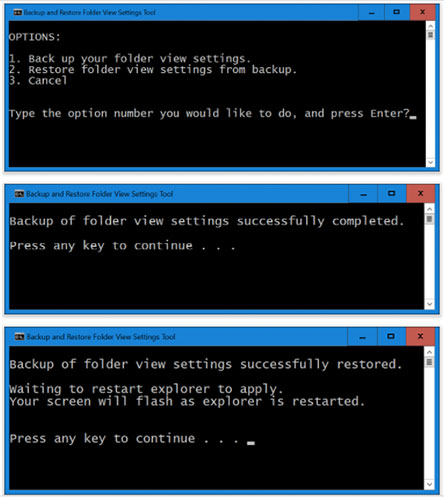
echo OPTIONS:
echo.
echo 1. Back up your folder view settings.
echo 2. Restore folder view settings from backup.
echo 3. Cancel
echo.
echo.
set /P c=Type the option number you would like to do, and press Enter?
if /I "%c%" EQU "1" goto :verify1
if /I "%c%" EQU "2" goto :verify2
if /I "%c%" EQU "3" exit
goto :choice
:verify1
IF EXIST "%[Desktop]%\Folder View Settings Backup" goto :response1
goto :backup

:response1
echo.
echo.
echo You already have a "Folder View Settings Backup" folder on your desktop.
echo Please move it to another location, and try again.
echo.
pause
goto :choice
:backup
mkdir "%[Desktop]%\Folder View Settings Backup"
REG EXPORT "HKCU\Software\Microsoft\Windows\CurrentVersion\Explorer\Streams\Defaults" "%[Desktop]%\Folder View Settings Backup\HKCU_Software_Microsoft_Windows_CurrentVersion_Explorer_Streams_Defaults.reg" /y
REG EXPORT "HKCU\Software\Microsoft\Windows\Shell\BagMRU" "%[Desktop]%\Folder View Settings Backup\HKCU_Software_Microsoft_Windows_Shell_BagMRU.reg" /y
REG EXPORT "HKCU\Software\Microsoft\Windows\Shell\Bags" "%[Desktop]%\Folder View Settings Backup\HKCU_Software_Microsoft_Windows_Shell_Bags.reg" /y
REG EXPORT "HKCU\Software\Microsoft\Windows\ShellNoRoam\Bags" "%[Desktop]%\Folder View Settings Backup\HKCU_Software_Microsoft_Windows_ShellNoRoam_Bags.reg" /y
REG EXPORT "HKCU\Software\Microsoft\Windows\ShellNoRoam\BagMRU" "%[Desktop]%\Folder View Settings Backup\HKCU_Software_Microsoft_Windows_ShellNoRoam_BagMRU.reg" /y
REG EXPORT "HKCU\Software\Classes\Local Settings\Software\Microsoft\Windows\Shell\BagMRU" "%[Desktop]%\Folder View Settings Backup\HKCU_Software_Classes_LocalSettings_Software_Microsoft_Windows_Shell_BagMRU.reg" /y
REG EXPORT "HKCU\Software\Classes\Local Settings\Software\Microsoft\Windows\Shell\Bags" "%[Desktop]%\Folder View Settings Backup\HKCU_Software_Classes_LocalSettings_Software_Microsoft_Windows_Shell_Bags.reg" /y
REG EXPORT "HKCU\SOFTWARE\Microsoft\Windows\CurrentVersion\Explorer\Modules\GlobalSettings\Sizer" "%[Desktop]%\Folder View Settings Backup\HKCU_SOFTWARE_Microsoft_Windows_CurrentVersion_Explorer_Modules_GlobalSettings_Sizer.reg" /y
REG EXPORT "HKCU\SOFTWARE\Microsoft\Windows\CurrentVersion\Explorer\Modules\NavPane" "%[Desktop]%\Folder View Settings Backup\HKCU_SOFTWARE_Microsoft_Windows_CurrentVersion_Explorer_Modules_NavPane.reg" /y
REG EXPORT "HKCU\SOFTWARE\Microsoft\Windows\CurrentVersion\Explorer\CIDOpen" "%[Desktop]%\Folder View Settings Backup\HKCU_SOFTWARE_Microsoft_Windows_CurrentVersion_Explorer_CIDOpen.reg" /y
REG EXPORT "HKCU\SOFTWARE\Microsoft\Windows\CurrentVersion\Explorer\CIDSave" "%[Desktop]%\Folder View Settings Backup\HKCU_SOFTWARE_Microsoft_Windows_CurrentVersion_Explorer_CIDSave.reg" /y
REG EXPORT "HKCU\SOFTWARE\Microsoft\Windows\CurrentVersion\Explorer\ComDlg32" "%[Desktop]%\Folder View Settings Backup\HKCU_SOFTWARE_Microsoft_Windows_CurrentVersion_Explorer_ComDlg32.reg" /y
cls
echo.
echo Backup of folder view settings successfully completed.
echo.
pause
exit

:verify2
IF NOT EXIST "%[Desktop]%\Folder View Settings Backup" goto :response
goto :restore

:response
echo.
echo.
echo You do not have a "Folder View Settings Backup" folder on your desktop.
echo Please place the backup folder on your desktop, and try again.
echo.
pause
goto :choice
:restore
REG Delete "HKCU\Software\Microsoft\Windows\CurrentVersion\Explorer\Streams\Defaults" /F
Reg Delete "HKCU\Software\Microsoft\Windows\Shell\BagMRU" /F
Reg Delete "HKCU\Software\Microsoft\Windows\Shell\Bags" /F
Reg Delete "HKCU\Software\Microsoft\Windows\ShellNoRoam\Bags" /F
Reg Delete "HKCU\Software\Microsoft\Windows\ShellNoRoam\BagMRU" /F
Reg Delete "HKCU\Software\Classes\Local Settings\Software\Microsoft\Windows\Shell\BagMRU" /F
Reg Delete "HKCU\Software\Classes\Local Settings\Software\Microsoft\Windows\Shell\Bags" /F
Reg Delete "HKCU\SOFTWARE\Microsoft\Windows\CurrentVersion\Explorer\Modules\GlobalSettings\Sizer" /F
Reg Delete "HKCU\SOFTWARE\Microsoft\Windows\CurrentVersion\Explorer\Modules\NavPane" /F
Reg Delete "HKCU\SOFTWARE\Microsoft\Windows\CurrentVersion\Explorer\CIDOpen" /F
Reg Delete "HKCU\SOFTWARE\Microsoft\Windows\CurrentVersion\Explorer\CIDSave" /F
Reg Delete "HKCU\SOFTWARE\Microsoft\Windows\CurrentVersion\Explorer\ComDlg32" /F

REG IMPORT "%[Desktop]%\Folder View Settings Backup\HKCU_Software_Microsoft_Windows_CurrentVersion_Explorer_Streams_Defaults.reg"
REG IMPORT "%[Desktop]%\Folder View Settings Backup\HKCU_Software_Microsoft_Windows_Shell_BagMRU.reg"
REG IMPORT "%[Desktop]%\Folder View Settings Backup\HKCU_Software_Microsoft_Windows_Shell_Bags.reg"
REG IMPORT "%[Desktop]%\Folder View Settings Backup\HKCU_Software_Microsoft_Windows_ShellNoRoam_Bags.reg"
REG IMPORT "%[Desktop]%\Folder View Settings Backup\HKCU_Software_Microsoft_Windows_ShellNoRoam_BagMRU.reg"
REG IMPORT "%[Desktop]%\Folder View Settings Backup\HKCU_Software_Classes_LocalSettings_Software_Microsoft_Windows_Shell_BagMRU.reg"
REG IMPORT "%[Desktop]%\Folder View Settings Backup\HKCU_Software_Classes_LocalSettings_Software_Microsoft_Windows_Shell_Bags.reg"
REG IMPORT "%[Desktop]%\Folder View Settings Backup\HKCU_SOFTWARE_Microsoft_Windows_CurrentVersion_Explorer_Modules_GlobalSettings_Sizer.reg"
REG IMPORT "%[Desktop]%\Folder View Settings Backup\HKCU_SOFTWARE_Microsoft_Windows_CurrentVersion_Explorer_Modules_NavPane.reg"
REG IMPORT "%[Desktop]%\Folder View Settings Backup\HKCU_SOFTWARE_Microsoft_Windows_CurrentVersion_Explorer_CIDOpen.reg"
REG IMPORT "%[Desktop]%\Folder View Settings Backup\HKCU_SOFTWARE_Microsoft_Windows_CurrentVersion_Explorer_CIDSave.reg"
REG IMPORT "%[Desktop]%\Folder View Settings Backup\HKCU_SOFTWARE_Microsoft_Windows_CurrentVersion_Explorer_ComDlg32.reg"

cls
echo.
echo Backup of folder view settings successfully restored.
echo.
echo Waiting to restart explorer to apply.
echo Your screen will flash as explorer is restarted.
echo.
echo.
pause
taskkill /f /im explorer.exe
start explorer.exe
exit
2. Lưu file .bat vào desktop.
3. Bỏ chặn file .bat.
4. Chạy file .bat.
5. Làm những gì bạn muốn làm trong Backup and Restore Folder View Settings Tool.
SAO LƯU:
Khi bạn tạo bản sao lưu cài đặt chế độ xem thư mục của mình, thư mục Folder View Settings Backup sẽ được lưu vào desktop chứa các file .reg đã xuất từ registry cho cài đặt chế độ xem thư mục của bạn. Bạn có thể lưu thư mục này vào nơi bạn muốn để giữ an toàn.
KHÔI PHỤC:
Khi bạn muốn khôi phục bản sao lưu cài đặt chế độ xem thư mục của mình, trước tiên bạn cần có thư mục Folder View Settings Backup với tên chính xác này trên desktop để tiến hành quá trình khôi phục.
Chúc bạn thực hiện thành công!
Nguồn tin: Quantrimang.com
Ý kiến bạn đọc
Những tin mới hơn
 Cách khắc phục 3 sự cố với VLC Media Player (28/06/2021)
  Những lỗi đã biết trên bản Windows 11 Insider Preview đầu tiên và cách khắc phục (29/06/2021)
 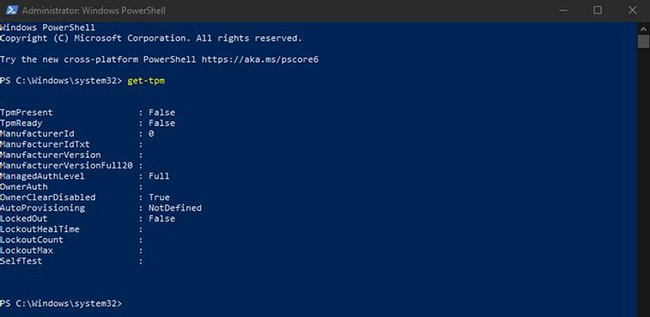 Cách kiểm tra phiên bản TPM trước khi nâng cấp lên Windows 11 (29/06/2021)
 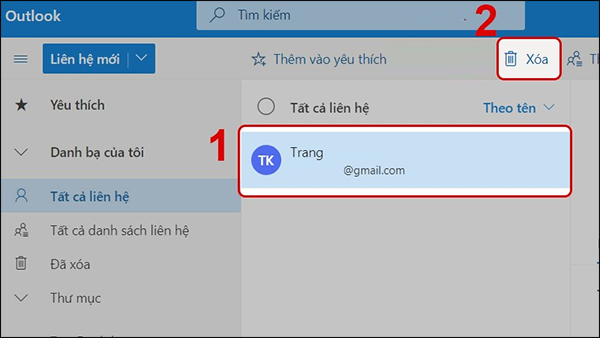 Cách xóa liên hệ trong danh bạ Outlook (29/06/2021)
 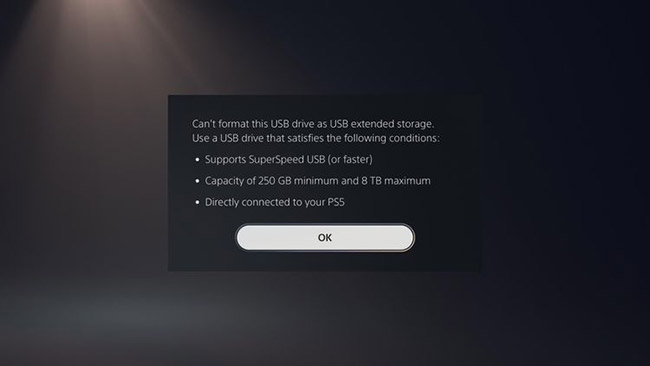 Cách lưu game PS5 trên USB (29/06/2021)
 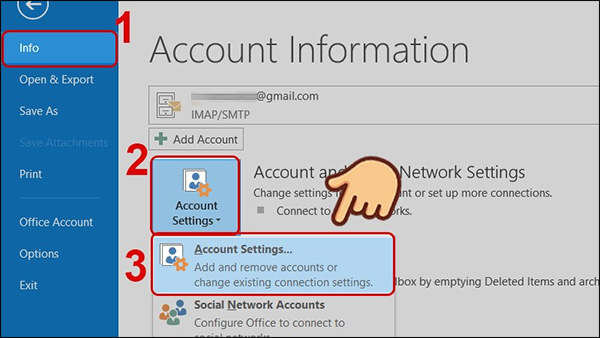 Cách sửa lỗi mail Outlook bị nhân đôi (29/06/2021)
  Cách kiểm tra nhiệt độ MacBook (29/06/2021)
  Cách giải nén file đĩa ảo VMDK trên Windows (30/06/2021)
  Router Netgear không hoạt động? Đây là cách khắc phục! (30/06/2021)
  Cách bật DNS over HTTPS cho tất cả ứng dụng trong Windows 11 (30/06/2021)
 Những tin cũ hơn
 Cách sử dụng zram với Raspberry Pi (28/06/2021)
  Cách tắt tay cầm PS5 khi đang ghép nối Bluetooth (28/06/2021)
  Cách bật/tắt tính năng phát toàn màn hình trong ứng dụng Movies & TV trên Windows 10 (28/06/2021)
  Tải GOM Remote: Ứng dụng điều khiển từ xa cho GOM Player và GOM Audio (28/06/2021)
  Cách mở Nvidia Control Panel (28/06/2021)
  Cách bật AirPlay trên máy Mac (28/06/2021)
  Tải GOM Audio: Trình phát âm thanh miễn phí, gọn nhẹ và dễ sử dụng (26/06/2021)
  Cách cài đặt và thiết lập Android Studio trong Windows (26/06/2021)
  Cách chuyển đổi, xuất file tài liệu Word thành bài trình chiếu PowerPoint (26/06/2021)
  Cách dùng tiện ích chặn thông báo trình duyệt Chrome (25/06/2021)
  TOP phần mềm AI bảo mật Internet tốt nhất hiện nay
 Biến các ý tưởng thành giải thích trực quan, tương tác trong ChatGPT
 TOP tiện ích mở rộng AI cho VS Code tốt nhất
Cách tạo website Portfolio miễn phí bằng ChatGPT
TOP tiện ích mở rộng AI cho VS Code tốt nhất
Cách tạo website Portfolio miễn phí bằng ChatGPT
 6 lựa chọn thay thế Visual Studio Code tốt nhất có tích hợp AI
 Tạo form hỏi đáp tương tác trong vài phút và prompt chỉnh sửa
 Hướng dẫn sử dụng Google Slides trong Claude
 Hướng dẫn sử dụng Wolfram trong ChatGPT giải toán nâng cao
 15 prompt AI thú vị cho ngày lễ Halloween
 Hoàn thiện một thiết kế thực tế với ChatGPT + Canva
 Cách kết nối ElevenLabs agent với hệ thống lên lịch Calendly
 Cách tắt app chạy ngầm Windows 11, giảm ngốn RAM trên Win 11
 Câu nói hay nhất về tháng 11, chào tháng 11
 TOP công cụ AI tạo tài liệu tốt nhất
 Cách xây dựng plugin trong ChatGPT
 Hướng dẫn tự thiết kế website Portfolio bằng Claude
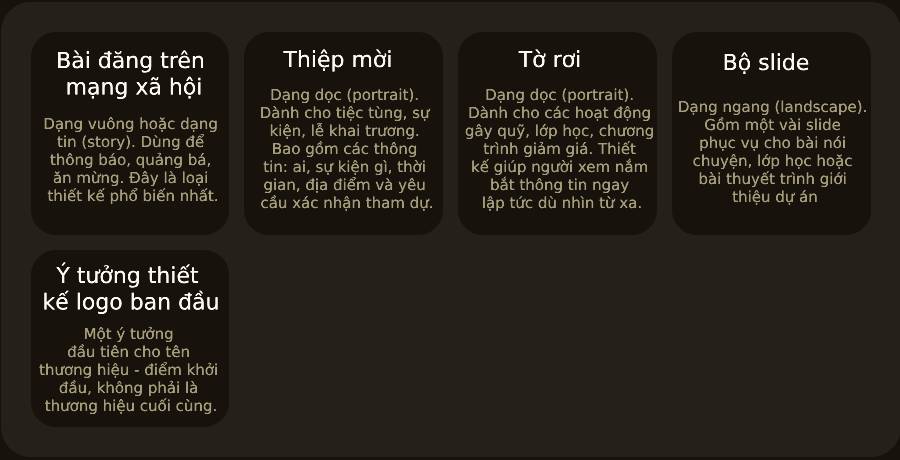 5 thiết kế ChatGPT + Canva đáp ứng hầu hết các nhu cầu trong cuộc sống
 Những công cụ AI tốt nhất giúp giải toán dễ dàng
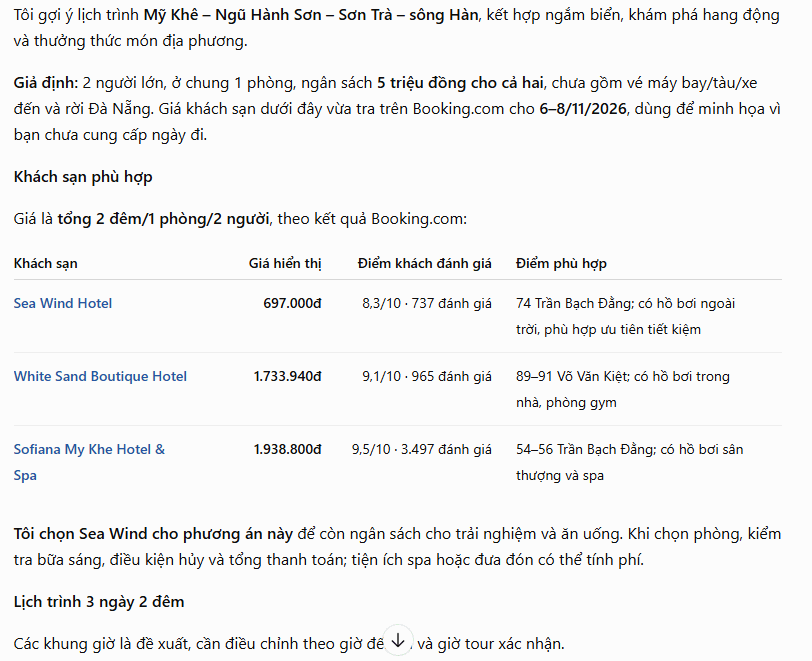 Hướng dẫn kết nối Booking.com với ChatGPT lên kế hoạch du lịch
 15 prompt Gemini tạo ảnh sinh nhật đẹp nhất
 Hướng dẫn cài đặt và sử dụng n8n trên Windows 11
 Cách lập trình chuyên nghiệp hơn, dễ dàng hơn với tính năng Tệp trên Grok
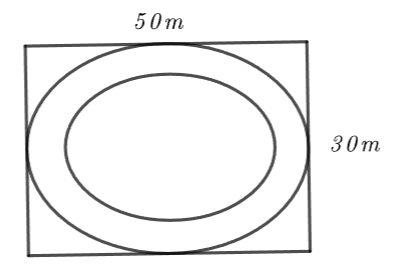 Công thức tính diện tích hình Elip
 Hướng dẫn ngắt kết nối ứng dụng trên ChatGPT
 Hướng dẫn tạo đoạn hội thoại cho topic trên Twee
 Bức tranh tổng quan về hỗ trợ khách hàng tích hợp AI
 Cách sửa lỗi There Are Currently No Power Options Available Windows
 Claude Code thực sự có giá bao nhiêu?
 Hướng dẫn 8 cách mở bàn phím ảo trên Windows 10
 Hướng dẫn tạo flashcard trên Canva AI