<!DOCTYPE html>
    <html lang="vi" xmlns="http://www.w3.org/1999/xhtml" prefix="og: http://ogp.me/ns#">
    <head>
<title>Vì sao ổ cứng ảo là tính năng ẩn được yêu thích trên Windows 11?</title>
<meta name="description" content="Vì sao ổ cứng ảo là tính năng ẩn được yêu thích trên Windows 11? - Savefile - Tin Tức -...">
<meta name="author" content=".: Nguoicodonvn2008.info - Cõi lòng người cô đơn :.">
<meta name="copyright" content=".: Nguoicodonvn2008.info - Cõi lòng người cô đơn :. [admin@nguoicodonvn2008.info]">
<meta name="robots" content="index, archive, follow, noodp">
<meta name="googlebot" content="index,archive,follow,noodp">
<meta name="msnbot" content="all,index,follow">
<meta name="generator" content="NukeViet v4.5">
<meta http-equiv="Content-Type" content="text/html; charset=utf-8">
<meta property="og:title" content="Vì sao ổ cứng ảo là tính năng ẩn được yêu thích trên Windows 11?">
<meta property="og:type" content="website">
<meta property="og:description" content="Savefile - Tin Tức - https&#x3A;&#x002F;&#x002F;www.nguoicodonvn2008.info&#x002F;vi&#x002F;news&#x002F;savefile&#x002F;kien-thuc-may-tinh&#x002F;vi-sao-o-cung-ao-la-tinh-nang-an-duoc-yeu-thich-tren-windows-11-11293.html">
<meta property="og:site_name" content=".&#x3A; Nguoicodonvn2008.info - Cõi lòng người cô đơn &#x3A;.">
<meta property="og:url" content="https://www.nguoicodonvn2008.info/vi/news/savefile/kien-thuc-may-tinh/vi-sao-o-cung-ao-la-tinh-nang-an-duoc-yeu-thich-tren-windows-11-11293.html">
<link rel="shortcut icon" href="https://www.nguoicodonvn2008.info/favicon.ico">
<link rel="canonical" href="https://www.nguoicodonvn2008.info/vi/news/savefile/kien-thuc-may-tinh/vi-sao-o-cung-ao-la-tinh-nang-an-duoc-yeu-thich-tren-windows-11-11293.html">
<link rel="alternate" href="https://www.nguoicodonvn2008.info/vi/news/rss/" title="Tin Tức" type="application/rss+xml">
<link rel="alternate" href="https://www.nguoicodonvn2008.info/vi/news/rss/karaoke-dual/" title="Tin Tức - Karaoke Dual" type="application/rss+xml">
<link rel="alternate" href="https://www.nguoicodonvn2008.info/vi/news/rss/nhac-tre/" title="Tin Tức - Nhạc trẻ" type="application/rss+xml">
<link rel="alternate" href="https://www.nguoicodonvn2008.info/vi/news/rss/tru-tinh/" title="Tin Tức - Trữ tình" type="application/rss+xml">
<link rel="alternate" href="https://www.nguoicodonvn2008.info/vi/news/rss/nuoc-ngoai/" title="Tin Tức - Nước ngoài" type="application/rss+xml">
<link rel="alternate" href="https://www.nguoicodonvn2008.info/vi/news/rss/remix/" title="Tin Tức - Remix" type="application/rss+xml">
<link rel="alternate" href="https://www.nguoicodonvn2008.info/vi/news/rss/tam-su-tinh-yeu/" title="Tin Tức - Tâm sự tình yêu" type="application/rss+xml">
<link rel="alternate" href="https://www.nguoicodonvn2008.info/vi/news/rss/tho-suu-tam/" title="Tin Tức - Thơ sưu tầm" type="application/rss+xml">
<link rel="alternate" href="https://www.nguoicodonvn2008.info/vi/news/rss/cuoc-song/" title="Tin Tức - Cuộc sống" type="application/rss+xml">
<link rel="alternate" href="https://www.nguoicodonvn2008.info/vi/news/rss/phan-mem/" title="Tin Tức - Phần mềm" type="application/rss+xml">
<link rel="alternate" href="https://www.nguoicodonvn2008.info/vi/news/rss/kien-thuc-may-tinh/" title="Tin Tức - Kiến thức máy tính" type="application/rss+xml">
<link rel="alternate" href="https://www.nguoicodonvn2008.info/vi/news/rss/hoc-tap/" title="Tin Tức - Học tập" type="application/rss+xml">
<link rel="alternate" href="https://www.nguoicodonvn2008.info/vi/news/rss/tai-lieu/" title="Tin Tức - Tài liệu" type="application/rss+xml">
<link rel="alternate" href="https://www.nguoicodonvn2008.info/vi/news/rss/de-thi/" title="Tin Tức - Đề thi" type="application/rss+xml">
<link rel="preload" as="style" href="https://www.nguoicodonvn2008.info/assets/css/font-awesome.min.css" type="text/css">
<link rel="preload" as="style" href="https://www.nguoicodonvn2008.info/themes/default/css/bootstrap.non-responsive.css" type="text/css">
<link rel="preload" as="style" href="https://www.nguoicodonvn2008.info/themes/default/css/style.css" type="text/css">
<link rel="preload" as="style" href="https://www.nguoicodonvn2008.info/themes/default/css/style.non-responsive.css" type="text/css">
<link rel="preload" as="style" href="https://www.nguoicodonvn2008.info/themes/default/css/news.css" type="text/css">
<link rel="preload" as="style" href="https://www.nguoicodonvn2008.info/themes/default/css/custom.css" type="text/css">
<link rel="preload" as="script" href="https://www.nguoicodonvn2008.info/assets/js/jquery/jquery.min.js" type="text/javascript">
<link rel="preload" as="script" href="https://www.nguoicodonvn2008.info/assets/js/language/vi.js" type="text/javascript">
<link rel="preload" as="script" href="https://www.nguoicodonvn2008.info/assets/js/DOMPurify/purify3.js" type="text/javascript">
<link rel="preload" as="script" href="https://www.nguoicodonvn2008.info/assets/js/global.js" type="text/javascript">
<link rel="preload" as="script" href="https://www.nguoicodonvn2008.info/assets/js/site.js" type="text/javascript">
<link rel="preload" as="script" href="https://www.nguoicodonvn2008.info/themes/default/js/news.js" type="text/javascript">
<link rel="preload" as="script" href="https://www.nguoicodonvn2008.info/themes/default/js/main.js" type="text/javascript">
<link rel="preload" as="script" href="https://www.nguoicodonvn2008.info/themes/default/js/custom.js" type="text/javascript">
<link rel="preload" as="script" href="https://www.nguoicodonvn2008.info/themes/default/js/bootstrap.min.js" type="text/javascript">
<link rel="stylesheet" href="https://www.nguoicodonvn2008.info/assets/css/font-awesome.min.css">
<link rel="stylesheet" href="https://www.nguoicodonvn2008.info/themes/default/css/bootstrap.non-responsive.css">
<link rel="stylesheet" href="https://www.nguoicodonvn2008.info/themes/default/css/style.css">
<link rel="stylesheet" href="https://www.nguoicodonvn2008.info/themes/default/css/style.non-responsive.css">
<link rel="StyleSheet" href="https://www.nguoicodonvn2008.info/themes/default/css/news.css">
<link rel="stylesheet" href="https://www.nguoicodonvn2008.info/themes/default/css/custom.css">
<style type="text/css">
	body{background: #fff;}
</style>
    </head>
    <body>
<div id="print">
	<div id="hd_print">
		<h2 class="pull-left">.&#x3A; Nguoicodonvn2008.info - Cõi lòng người cô đơn &#x3A;.</h2>
		<p class="pull-right"><a title=".&#x3A; Nguoicodonvn2008.info - Cõi lòng người cô đơn &#x3A;." href="https://www.nguoicodonvn2008.info/">https://www.nguoicodonvn2008.info</a></p>
	</div>
	<div class="clear"></div>
	<hr />
	<div id="content">
		<h1>Vì sao ổ cứng ảo là tính năng ẩn được yêu thích trên Windows 11?</h1>
		<ul class="list-inline">
			<li>Thứ sáu - 03/10/2025 05:11</li>
			<li class="hidden-print txtrequired"><em class="fa fa-print">&nbsp;</em><a title="In ra" href="javascript:;" onclick="window.print()">In ra</a></li>
			<li class="hidden-print txtrequired"><em class="fa fa-power-off">&nbsp;</em><a title="Đóng cửa sổ này" href="javascript:;" onclick="window.close()">Đóng cửa sổ này</a></li>
		</ul>
		<div class="clear"></div>
		<div id="hometext">
		</div>
				<div class="imghome">
			<img alt="Vì sao ổ cứng ảo là tính năng ẩn được yêu thích trên Windows 11?" src="https://st.quantrimang.com/photos/image/2025/10/02/o-cung-ao-la-tinh-nang-an-yeu-thich-tren-windows-11-6.jpg" width="460" class="img-thumbnail" />
		</div>
		<div class="clear"></div>
		<div id="bodytext" class="clearfix">
			<p style="text-align: justify;">Khi đang lướt qua subreddit r/Windows10, có người hỏi liệu ổ cứng ảo (VHD) có cung cấp dung lượng lưu trữ miễn phí và bổ sung không. Câu hỏi này thật nực cười (giá mà nó hoạt động theo cách đó!), nhưng thành thật mà nói, có rất nhiều người không biết về tính năng này. Mọi người hoặc không biết đến sự tồn tại của VHD hoặc nghĩ rằng chúng tự nhiên tạo ra thêm dung lượng lưu trữ.</p>

<div style="text-align: justify;">&nbsp;</div>

<p style="text-align: justify;">Ổ cứng ảo thường được kết hợp với&nbsp;máy ảo&nbsp;và sử dụng để lưu trữ hệ điều hành khách cùng tất cả dữ liệu của nó. Nhưng VHD cũng hoạt động rất tốt bên ngoài máy ảo. Chúng lý tưởng để tạo không gian riêng cho các dự án, kiểm tra hệ điều hành một cách an toàn và thêm phân vùng mà không sợ thay đổi kích thước phân vùng hiện có.</p>

<h2 style="text-align: justify;">Tạo VHD cực kỳ dễ dàng</h2>

<h3 style="text-align: justify;">Tạo VHD từ ứng dụng Settings</h3>

<div style="text-align: justify;">&nbsp;</div>

<p style="text-align: justify;">Microsoft đã giúp việc tạo ổ cứng ảo trở nên dễ dàng với Windows 11 23H2.&nbsp;Windows 11&nbsp;hiện tích hợp tính năng tạo VHD vào ứng dụng Settings, giúp việc này trở nên đơn giản như tạo một thư mục mới.</p>

<div style="text-align: justify;">Windows 11</div>

<p style="text-align: justify;">Để tạo ổ cứng ảo, hãy vào&nbsp;<strong>Settings -&gt; System -&gt; Storage -&gt; Advanced storage settings -&gt; Disks &amp; volumes</strong>, sau đó nhấp vào&nbsp;<strong>Create VHD</strong>.</p>

<p style="text-align: justify;">Trong trình hướng dẫn thiết lập, hãy nhập các thông tin cơ bản, chẳng hạn như vị trí lưu file VHD, kích thước của file và bạn muốn kích thước cố định hay động. VHD động ban đầu có kích thước nhỏ và tăng lên khi bạn thêm dữ liệu, trong khi VHD cố định sẽ ngay lập tức giữ lại toàn bộ dung lượng bạn đã cấp phát. Nhấp vào&nbsp;<strong>Create</strong>&nbsp;rồi nhấn vào&nbsp;<strong>Yes</strong>&nbsp;để xác nhận hành động.</p>

<p style="text-align: justify;">Trước khi có thể sử dụng VHD mới, bạn cần chọn kiểu phân vùng (MBR hoặc GPT) và khởi tạo nó. Sau khi hoàn tất, Windows sẽ xử lý VHD mới như bất kỳ ổ nào khác. Nó hiển thị với ký tự ổ riêng trong File Explorer, sẵn sàng để bạn định dạng và sử dụng.</p>

<h2 style="text-align: justify;">Cài đặt hoặc kiểm tra hệ điều hành mà không cần can thiệp vào thiết lập Windows chính</h2>

<h3 style="text-align: justify;">Khởi động gốc cho phép bạn chạy Windows từ VHD</h3>

<figure>
<div style="text-align: justify;"><img alt="Desktop Linux Mint trên laptop ThinkPad, với chuột và ổ USB gần đó" data-i="5" data-src="https://st.quantrimang.com/photos/image/2025/10/02/o-cung-ao-la-tinh-nang-an-yeu-thich-tren-windows-11-6.jpg" data-was-processed="true" height="1100" src="https://st.quantrimang.com/photos/image/2025/10/02/o-cung-ao-la-tinh-nang-an-yeu-thich-tren-windows-11-6.jpg" width="1650" /></div>

<figcaption>
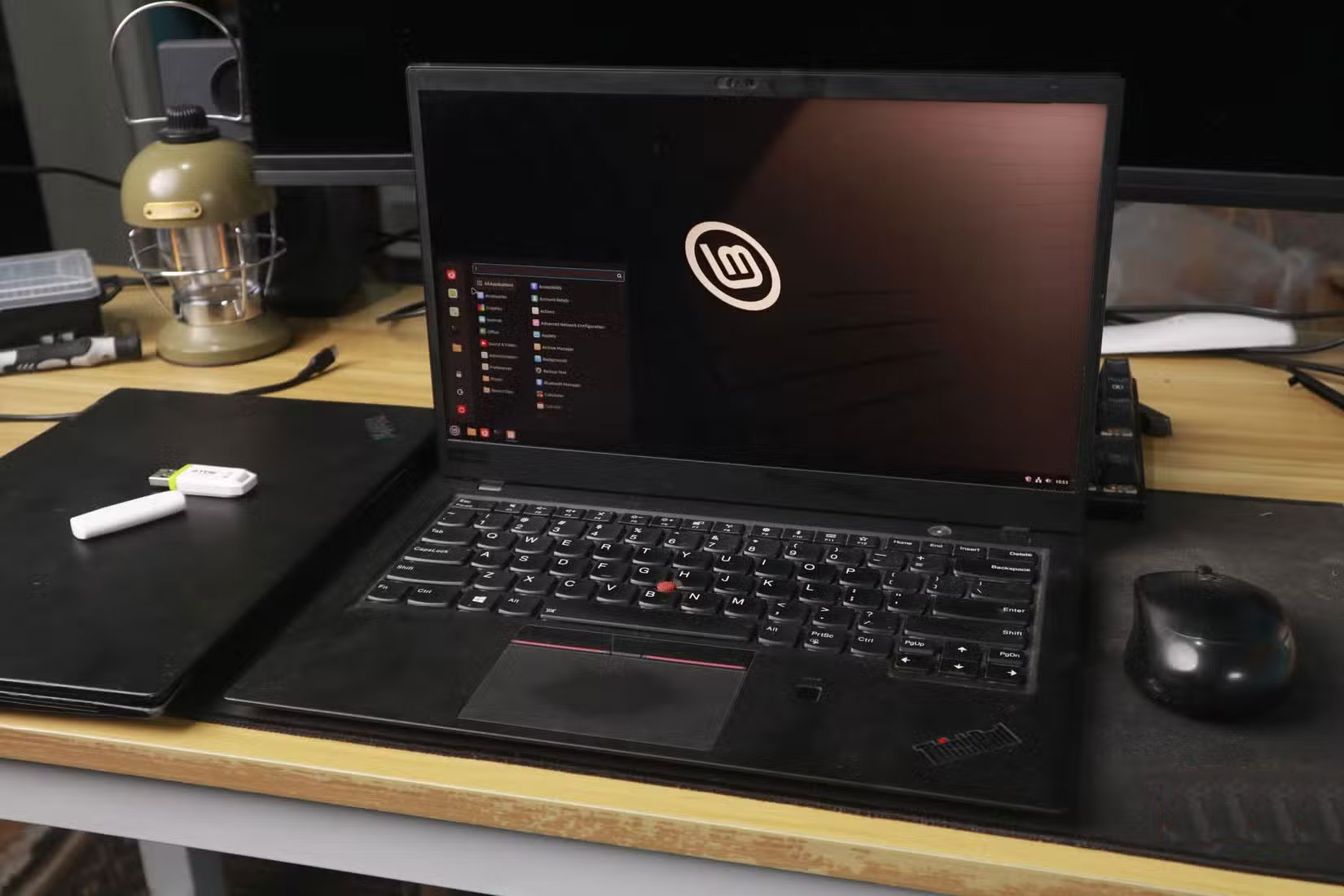
<div style="text-align: justify;">Desktop Linux Mint trên laptop ThinkPad, với chuột và ổ USB gần đó</div>
</figcaption>
</figure>

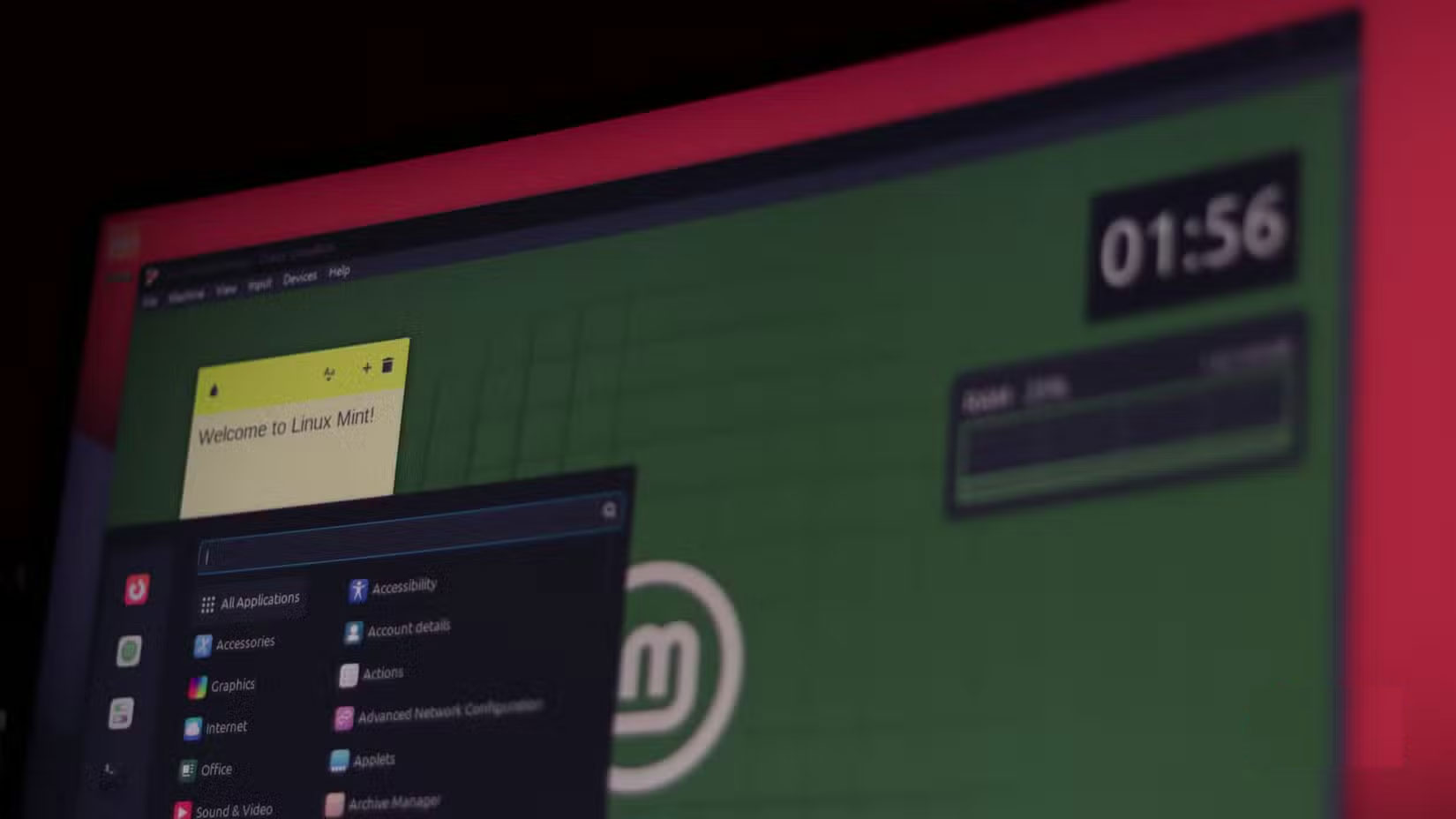
<p style="text-align: justify;">VHDX hỗ trợ khởi động gốc, nghĩa là bạn có thể khởi động kép Windows 11 với phiên bản Windows khác mà không cần phân vùng ổ hoặc sử dụng máy ảo. Thiết lập này lý tưởng để kiểm tra các bản build Windows 11 Insider hoặc thử nghiệm những cấu hình khác nhau mà không ảnh hưởng đến cài đặt ổn định của bạn.</p>

<div style="text-align: justify;">Windows 11</div>

<p style="text-align: justify;">Tất cả những gì bạn cần làm là tạo một file VHDX đủ lớn (khoảng 60 GB), mount file đó, trỏ Windows Setup vào ổ ảo đó và thêm mục khởi động. Sau khi cài đặt, Windows sẽ thêm file đó vào menu khởi động của bạn. Giờ đây, khi khởi động, bạn có thể chọn giữa Windows thông thường và hệ thống thử nghiệm VHD.</p>

<p style="text-align: justify;">Vì mọi thứ đều chạy bên trong VHD, nên cài đặt Windows chính của bạn sẽ hoàn toàn tách biệt. Nếu có sự cố xảy ra, bạn có thể xóa file VHD và mục khởi động,&nbsp;<a data-google-interstitial="false" data-google-vignette="false" href="https://quantrimang.com/cong-nghe/o-cung-ao-la-tinh-nang-an-yeu-thich-tren-windows-11-211346#">&nbsp;máy tính</a>&nbsp;sẽ trở về trạng thái ban đầu.</p>

<figure>
<div style="text-align: justify;"><img alt="Desktop Linux Mint, chạy trên Virtualbox" data-i="6" data-src="https://st.quantrimang.com/photos/image/2025/10/02/o-cung-ao-la-tinh-nang-an-yeu-thich-tren-windows-11-7.jpg" data-was-processed="true" height="928" src="https://st.quantrimang.com/photos/image/2025/10/02/o-cung-ao-la-tinh-nang-an-yeu-thich-tren-windows-11-7.jpg" width="1650" /></div>

<figcaption>
<div style="text-align: justify;">Desktop Linux Mint, chạy trên Virtualbox</div>
</figcaption>
</figure>

<h2 style="text-align: justify;">File VHD có thể được sao chép sang máy tính hoặc ổ khác</h2>

<h3 style="text-align: justify;">Môi trường portable luôn đồng hành cùng bạn</h3>

<figure>
<div style="text-align: justify;"><img alt="Windows 11 File Explorer với menu ngữ cảnh hiển thị cho VHD" data-i="7" data-src="https://st.quantrimang.com/photos/image/2025/10/02/o-cung-ao-la-tinh-nang-an-yeu-thich-tren-windows-11-8.jpg" data-was-processed="true" height="929" src="https://st.quantrimang.com/photos/image/2025/10/02/o-cung-ao-la-tinh-nang-an-yeu-thich-tren-windows-11-8.jpg" width="1650" /></div>

<figcaption>
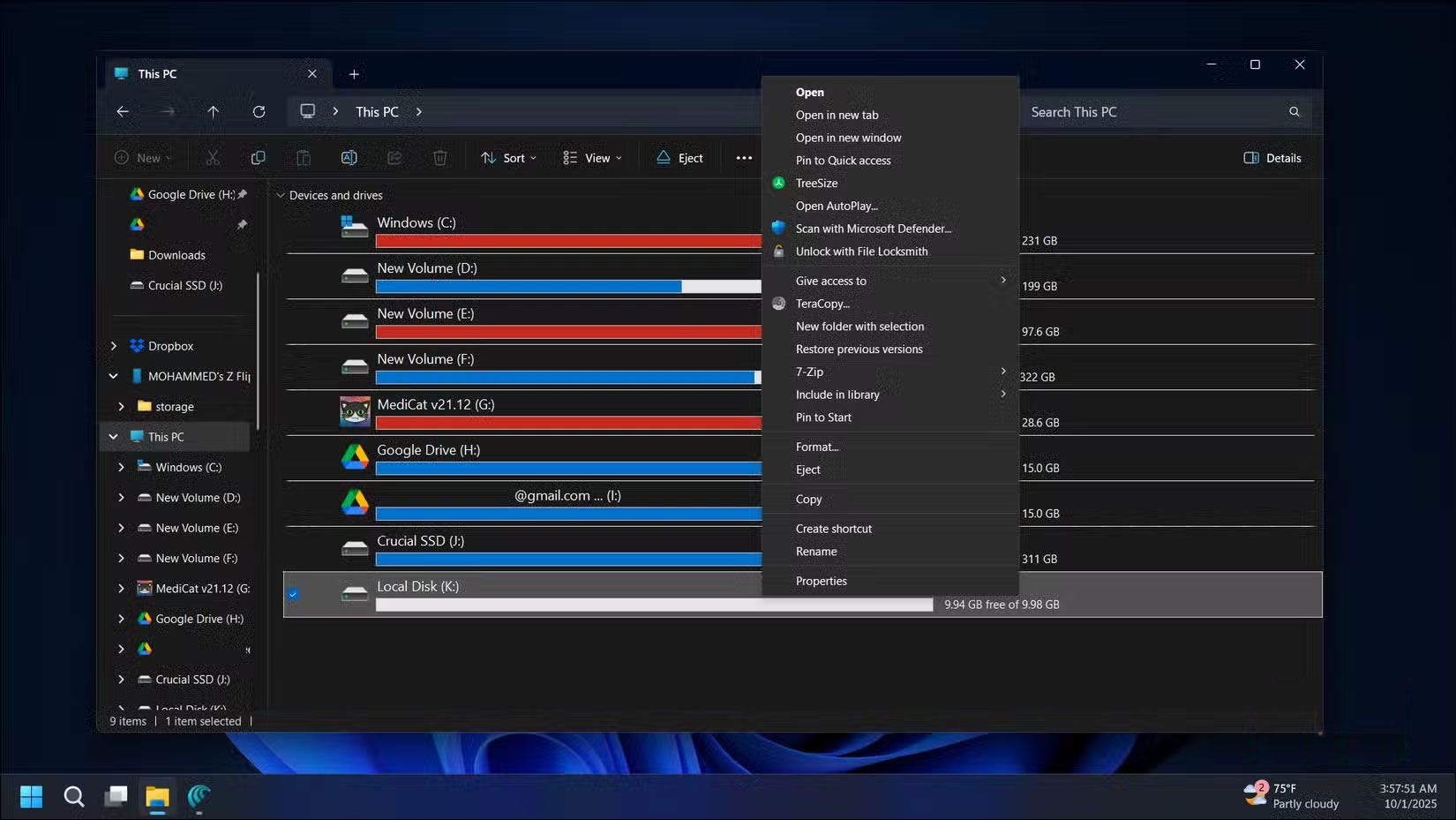
<div style="text-align: justify;">Windows 11 File Explorer với menu ngữ cảnh hiển thị cho VHD<br />
Windows 11</div>
</figcaption>
</figure>

<div style="text-align: justify;">&nbsp;</div>

<p style="text-align: justify;">Không giống như các phân vùng vật lý bị kẹt trên một ổ, file VHD chỉ là những file thông thường. Vì vậy, bạn có thể sao chép chúng ở bất kỳ đâu.</p>

<p style="text-align: justify;">Ví dụ, nếu thiết lập một VHD phát triển với tất cả các công cụ và cấu hình của mình và cần môi trường chính xác đó trên một máy tính khác, bạn có thể sao chép file VHD sang. Sau đó, mount file đó vào bất kỳ máy tính Windows nào và mọi thứ, bao gồm công cụ, cài đặt và file dự án của bạn, sẽ được khôi phục.</p>

<p style="text-align: justify;">Tính portable này cũng hữu ích cho việc sao lưu. Thay vì tạo image cho toàn bộ ổ, bạn có thể sao chép file VHD, copy lại và mount file đó khi cần khôi phục bản sao lưu.</p>

<h2 style="text-align: justify;">Tổ chức file tốt hơn cho các dự án khác nhau mà không cần phân vùng ổ</h2>

<h3 style="text-align: justify;">Giữ các dự án được phân tách và sắp xếp hợp lý</h3>

<figure>
<div style="text-align: justify;"><img alt="Mở File Explorer trên Windows 11" data-i="8" data-src="https://st.quantrimang.com/photos/image/2025/10/02/o-cung-ao-la-tinh-nang-an-yeu-thich-tren-windows-11-9.jpg" data-was-processed="true" height="929" src="https://st.quantrimang.com/photos/image/2025/10/02/o-cung-ao-la-tinh-nang-an-yeu-thich-tren-windows-11-9.jpg" width="1650" /></div>

<figcaption>
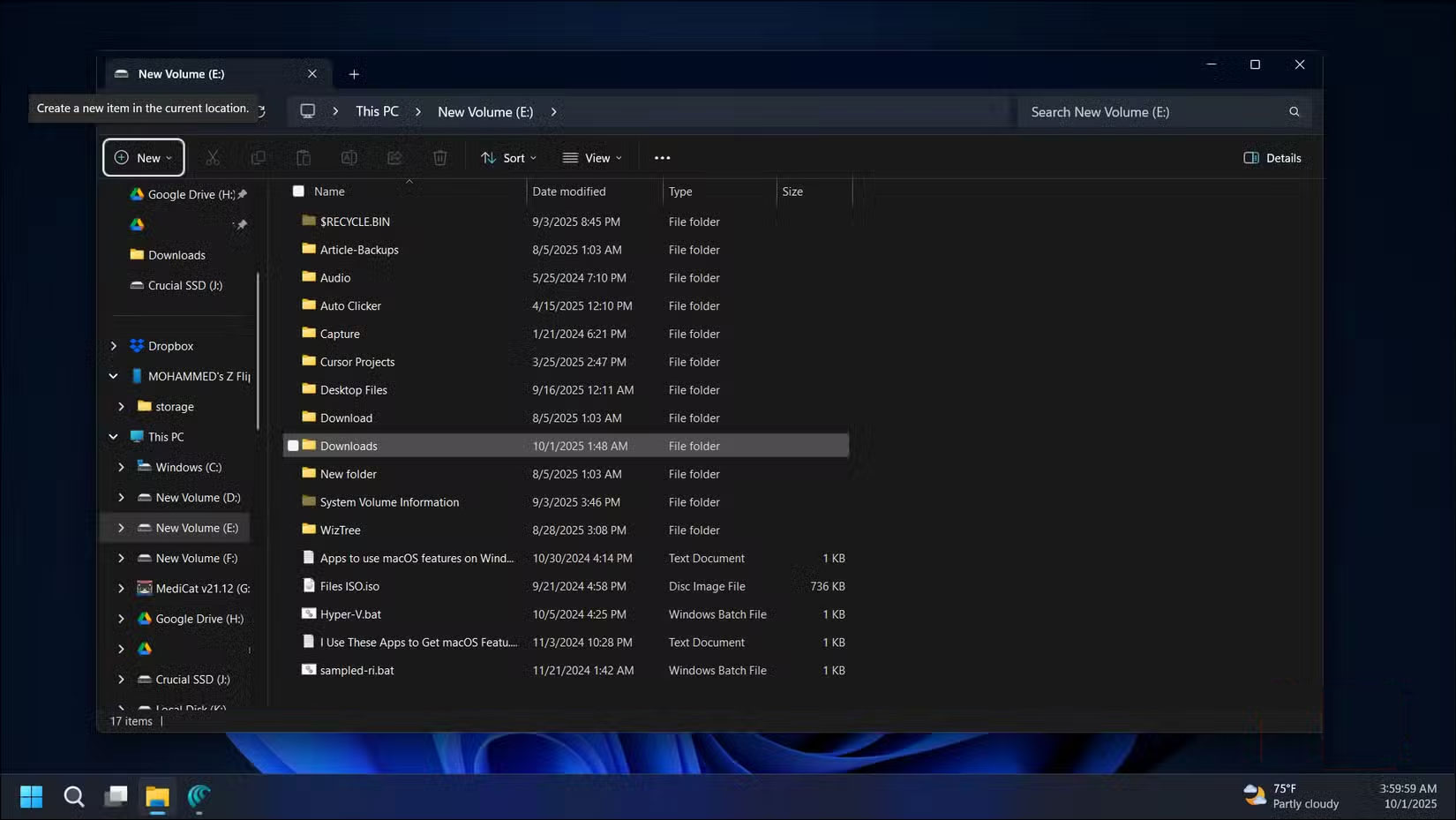
<div style="text-align: justify;">Mở File Explorer trên Windows 11<br />
Windows 11</div>
</figcaption>
</figure>

<p style="text-align: justify;">Cách tổ chức thư mục truyền thống hoạt động tốt, nhưng VHD mang lại điều gì đó tốt hơn. Mỗi VHD trở thành một môi trường độc lập, hoàn toàn tách biệt với mọi thứ khác.</p>

<p style="text-align: justify;">Ví dụ, hãy duy trì các VHD riêng biệt cho những loại dự án khác nhau: Một VHD phát triển web cho tất cả các công cụ mã hóa và file dự án, và một VHD chỉnh sửa video riêng biệt. Việc phân tách này rất hữu ích để tránh nhiễu giữa các dự án. Bạn cũng có thể áp dụng các cài đặt bảo mật hoặc mã hóa khác nhau cho mỗi VHD để bảo vệ thông tin quan trọng hoặc nhạy cảm.</p>

<div style="text-align: justify;">&nbsp;</div>
		</div>
				<div id="author">
						<p>
				<strong>Nguồn tin:</strong>
				Quantrimang.com:
			</p>
		</div>
	</div>
	<div id="footer" class="clearfix">
		<div id="url">
			<strong>URL của bản tin này: </strong><a href="https://www.nguoicodonvn2008.info/vi/news/savefile/kien-thuc-may-tinh/vi-sao-o-cung-ao-la-tinh-nang-an-duoc-yeu-thich-tren-windows-11-11293.html" title="Vì sao ổ cứng ảo là tính năng ẩn được yêu thích trên Windows 11?">https://www.nguoicodonvn2008.info/vi/news/savefile/kien-thuc-may-tinh/vi-sao-o-cung-ao-la-tinh-nang-an-duoc-yeu-thich-tren-windows-11-11293.html</a>

		</div>
		<div class="clear"></div>
		<div class="copyright">
			&copy; .&#x3A; Nguoicodonvn2008.info - Cõi lòng người cô đơn &#x3A;.
		</div>
		<div id="contact">
			<a href="mailto:admin@nguoicodonvn2008.info">admin@nguoicodonvn2008.info</a>
		</div>
	</div>
</div>
        <div id="timeoutsess" class="chromeframe">
            Bạn đã không sử dụng Site, <a onclick="timeoutsesscancel();" href="https://www.nguoicodonvn2008.info/#">Bấm vào đây để duy trì trạng thái đăng nhập</a>. Thời gian chờ: <span id="secField"> 60 </span> giây
        </div>
        <div id="openidResult" class="nv-alert" style="display:none"></div>
        <div id="openidBt" data-result="" data-redirect=""></div>
		</script>
		<div class="car-top">
  <span><img src="https://www.nguoicodonvn2008.info/themes/default/images/car.png" alt=""></span>
</div>
<script src="https://www.nguoicodonvn2008.info/assets/js/jquery/jquery.min.js"></script>
<script>var nv_base_siteurl="/",nv_lang_data="vi",nv_lang_interface="vi",nv_name_variable="nv",nv_fc_variable="op",nv_lang_variable="language",nv_module_name="news",nv_func_name="savefile",nv_is_user=0, nv_my_ofs=-4,nv_my_abbr="EDT",nv_cookie_prefix="nv4c_e856T",nv_check_pass_mstime=1738000,nv_area_admin=0,nv_safemode=0,theme_responsive=0,nv_recaptcha_ver=2,nv_recaptcha_sitekey="",nv_recaptcha_type="image",XSSsanitize=1;</script>
<script src="https://www.nguoicodonvn2008.info/assets/js/language/vi.js"></script>
<script src="https://www.nguoicodonvn2008.info/assets/js/DOMPurify/purify3.js"></script>
<script src="https://www.nguoicodonvn2008.info/assets/js/global.js"></script>
<script src="https://www.nguoicodonvn2008.info/assets/js/site.js"></script>
<script src="https://www.nguoicodonvn2008.info/themes/default/js/news.js"></script>
<script src="https://www.nguoicodonvn2008.info/themes/default/js/main.js"></script>
<script src="https://www.nguoicodonvn2008.info/themes/default/js/custom.js"></script>
<script type="application/ld+json">
        {
            "@context": "https://schema.org",
            "@type": "Organization",
            "url": "https://www.nguoicodonvn2008.info",
            "logo": "https://www.nguoicodonvn2008.info/uploads/angel.gif"
        }
        </script>
<script src="https://www.nguoicodonvn2008.info/themes/default/js/bootstrap.min.js"></script>
<script type="text/javascript">
var $scrolltop = $('.car-top');
$scrolltop.on('click', function () {
    $('html,body').animate({
        scrollTop: 0
    }, 800);
    $(this).addClass("car-run");
    setTimeout(function(){ $scrolltop.removeClass('car-run');}, 1000);
    return false;
});
$(window).on('scroll', function ()
{ 
    if($(window).scrollTop() >= 200)
    {
        $scrolltop.addClass("show");
        $scrolltop.addClass("car-down");
    }
    else
    {
       $scrolltop.removeClass("show");
       setTimeout(function(){ $scrolltop.removeClass('car-down');}, 300);
    }
});
</script>
</body>
</html>