<!DOCTYPE html>
    <html lang="vi" xmlns="http://www.w3.org/1999/xhtml" prefix="og: http://ogp.me/ns#">
    <head>
<title>Icon trong CSS</title>
<meta name="description" content="Icon trong CSS - Savefile - Tin Tức - https&#x3A;&#x002F;&#x002F;www.nguoicodonvn2008.info&#x002F;vi&#x002F;news&#x002F;savefile&#x002F;kien-thuc-may-tinh&#x002F;icon-trong-css-10848.html">
<meta name="author" content=".: Nguoicodonvn2008.info - Cõi lòng người cô đơn :.">
<meta name="copyright" content=".: Nguoicodonvn2008.info - Cõi lòng người cô đơn :. [admin@nguoicodonvn2008.info]">
<meta name="robots" content="index, archive, follow, noodp">
<meta name="googlebot" content="index,archive,follow,noodp">
<meta name="msnbot" content="all,index,follow">
<meta name="generator" content="NukeViet v4.5">
<meta http-equiv="Content-Type" content="text/html; charset=utf-8">
<meta property="og:title" content="Icon trong CSS">
<meta property="og:type" content="website">
<meta property="og:description" content="Savefile - Tin Tức - https&#x3A;&#x002F;&#x002F;www.nguoicodonvn2008.info&#x002F;vi&#x002F;news&#x002F;savefile&#x002F;kien-thuc-may-tinh&#x002F;icon-trong-css-10848.html">
<meta property="og:site_name" content=".&#x3A; Nguoicodonvn2008.info - Cõi lòng người cô đơn &#x3A;.">
<meta property="og:url" content="https://www.nguoicodonvn2008.info/vi/news/savefile/kien-thuc-may-tinh/icon-trong-css-10848.html">
<link rel="shortcut icon" href="https://www.nguoicodonvn2008.info/favicon.ico">
<link rel="canonical" href="https://www.nguoicodonvn2008.info/vi/news/savefile/kien-thuc-may-tinh/icon-trong-css-10848.html">
<link rel="alternate" href="https://www.nguoicodonvn2008.info/vi/news/rss/" title="Tin Tức" type="application/rss+xml">
<link rel="alternate" href="https://www.nguoicodonvn2008.info/vi/news/rss/karaoke-dual/" title="Tin Tức - Karaoke Dual" type="application/rss+xml">
<link rel="alternate" href="https://www.nguoicodonvn2008.info/vi/news/rss/nhac-tre/" title="Tin Tức - Nhạc trẻ" type="application/rss+xml">
<link rel="alternate" href="https://www.nguoicodonvn2008.info/vi/news/rss/tru-tinh/" title="Tin Tức - Trữ tình" type="application/rss+xml">
<link rel="alternate" href="https://www.nguoicodonvn2008.info/vi/news/rss/nuoc-ngoai/" title="Tin Tức - Nước ngoài" type="application/rss+xml">
<link rel="alternate" href="https://www.nguoicodonvn2008.info/vi/news/rss/remix/" title="Tin Tức - Remix" type="application/rss+xml">
<link rel="alternate" href="https://www.nguoicodonvn2008.info/vi/news/rss/tam-su-tinh-yeu/" title="Tin Tức - Tâm sự tình yêu" type="application/rss+xml">
<link rel="alternate" href="https://www.nguoicodonvn2008.info/vi/news/rss/tho-suu-tam/" title="Tin Tức - Thơ sưu tầm" type="application/rss+xml">
<link rel="alternate" href="https://www.nguoicodonvn2008.info/vi/news/rss/cuoc-song/" title="Tin Tức - Cuộc sống" type="application/rss+xml">
<link rel="alternate" href="https://www.nguoicodonvn2008.info/vi/news/rss/phan-mem/" title="Tin Tức - Phần mềm" type="application/rss+xml">
<link rel="alternate" href="https://www.nguoicodonvn2008.info/vi/news/rss/kien-thuc-may-tinh/" title="Tin Tức - Kiến thức máy tính" type="application/rss+xml">
<link rel="alternate" href="https://www.nguoicodonvn2008.info/vi/news/rss/hoc-tap/" title="Tin Tức - Học tập" type="application/rss+xml">
<link rel="alternate" href="https://www.nguoicodonvn2008.info/vi/news/rss/tai-lieu/" title="Tin Tức - Tài liệu" type="application/rss+xml">
<link rel="alternate" href="https://www.nguoicodonvn2008.info/vi/news/rss/de-thi/" title="Tin Tức - Đề thi" type="application/rss+xml">
<link rel="preload" as="style" href="https://www.nguoicodonvn2008.info/assets/css/font-awesome.min.css" type="text/css">
<link rel="preload" as="style" href="https://www.nguoicodonvn2008.info/themes/default/css/bootstrap.non-responsive.css" type="text/css">
<link rel="preload" as="style" href="https://www.nguoicodonvn2008.info/themes/default/css/style.css" type="text/css">
<link rel="preload" as="style" href="https://www.nguoicodonvn2008.info/themes/default/css/style.non-responsive.css" type="text/css">
<link rel="preload" as="style" href="https://www.nguoicodonvn2008.info/themes/default/css/news.css" type="text/css">
<link rel="preload" as="style" href="https://www.nguoicodonvn2008.info/themes/default/css/custom.css" type="text/css">
<link rel="preload" as="script" href="https://www.nguoicodonvn2008.info/assets/js/jquery/jquery.min.js" type="text/javascript">
<link rel="preload" as="script" href="https://www.nguoicodonvn2008.info/assets/js/language/vi.js" type="text/javascript">
<link rel="preload" as="script" href="https://www.nguoicodonvn2008.info/assets/js/DOMPurify/purify3.js" type="text/javascript">
<link rel="preload" as="script" href="https://www.nguoicodonvn2008.info/assets/js/global.js" type="text/javascript">
<link rel="preload" as="script" href="https://www.nguoicodonvn2008.info/assets/js/site.js" type="text/javascript">
<link rel="preload" as="script" href="https://www.nguoicodonvn2008.info/themes/default/js/news.js" type="text/javascript">
<link rel="preload" as="script" href="https://www.nguoicodonvn2008.info/themes/default/js/main.js" type="text/javascript">
<link rel="preload" as="script" href="https://www.nguoicodonvn2008.info/themes/default/js/custom.js" type="text/javascript">
<link rel="preload" as="script" href="https://www.nguoicodonvn2008.info/themes/default/js/bootstrap.min.js" type="text/javascript">
<link rel="stylesheet" href="https://www.nguoicodonvn2008.info/assets/css/font-awesome.min.css">
<link rel="stylesheet" href="https://www.nguoicodonvn2008.info/themes/default/css/bootstrap.non-responsive.css">
<link rel="stylesheet" href="https://www.nguoicodonvn2008.info/themes/default/css/style.css">
<link rel="stylesheet" href="https://www.nguoicodonvn2008.info/themes/default/css/style.non-responsive.css">
<link rel="StyleSheet" href="https://www.nguoicodonvn2008.info/themes/default/css/news.css">
<link rel="stylesheet" href="https://www.nguoicodonvn2008.info/themes/default/css/custom.css">
<style type="text/css">
	body{background: #fff;}
</style>
    </head>
    <body>
<div id="print">
	<div id="hd_print">
		<h2 class="pull-left">.&#x3A; Nguoicodonvn2008.info - Cõi lòng người cô đơn &#x3A;.</h2>
		<p class="pull-right"><a title=".&#x3A; Nguoicodonvn2008.info - Cõi lòng người cô đơn &#x3A;." href="https://www.nguoicodonvn2008.info/">https://www.nguoicodonvn2008.info</a></p>
	</div>
	<div class="clear"></div>
	<hr />
	<div id="content">
		<h1>Icon trong CSS</h1>
		<ul class="list-inline">
			<li>Thứ sáu - 25/07/2025 23:02</li>
			<li class="hidden-print txtrequired"><em class="fa fa-print">&nbsp;</em><a title="In ra" href="javascript:;" onclick="window.print()">In ra</a></li>
			<li class="hidden-print txtrequired"><em class="fa fa-power-off">&nbsp;</em><a title="Đóng cửa sổ này" href="javascript:;" onclick="window.close()">Đóng cửa sổ này</a></li>
		</ul>
		<div class="clear"></div>
		<div id="hometext">
		</div>
				<div class="imghome">
			<img alt="Icon trong CSS" src="https://st.quantrimang.com/photos/image/2018/06/27/css-icon-3.jpg" width="460" class="img-thumbnail" />
		</div>
		<div class="clear"></div>
		<div id="bodytext" class="clearfix">
			<p style="text-align: justify;"><strong>Icon trong HTML là gì? Icon CSS là gì?</strong>&nbsp;Bài viết sẽ cho bạn biết cách dùng thẻ icon trong HTML.<br />
<br />
<br />
CSS (Cascading Style Sheets) là một ngôn ngữ được thiết kế để đơn giản hóa quá trình trình bày trang web.</p>

<div style="text-align: justify;">&nbsp;</div>

<ul>
	<li style="text-align: justify;">Nó cho phép bạn áp dụng các kiểu cho tài liệu HTML bằng cách chỉ định màu sắc, phông chữ, khoảng cách và vị trí.</li>
	<li style="text-align: justify;">Ưu điểm chính là việc tách biệt nội dung (trong HTML) và kiểu (trong CSS), đồng thời các quy tắc CSS có thể được sử dụng trên toàn bộ trang mà không cần phải viết lại.<br />
	HTML sử dụng thẻ, còn CSS sử dụng bộ quy tắc.</li>
	<li style="text-align: justify;">Các kiểu CSS được áp dụng cho phần tử HTML bằng cách sử dụng bộ chọn.</li>
</ul>

<p style="text-align: justify;"><strong>Tại sao nên dùng CSS?</strong></p>

<ul>
	<li style="text-align: justify;">Tiết kiệm thời gian: Viết CSS một lần và sử dụng lại trên nhiều trang HTML.</li>
	<li style="text-align: justify;">Dễ dàng bảo trì: Thay đổi kiểu dáng toàn cục chỉ với một lần chỉnh sửa.</li>
	<li style="text-align: justify;">Thân thiện với công cụ tìm kiếm: Kỹ thuật mã hóa gọn gàng giúp cải thiện khả năng đọc cho các công cụ tìm kiếm.</li>
	<li style="text-align: justify;">Kiểu dáng vượt trội: Cung cấp nhiều thuộc tính hơn so với HTML.</li>
	<li style="text-align: justify;">Duyệt ngoại tuyến: CSS có thể lưu trữ các ứng dụng web cục bộ bằng bộ nhớ đệm ngoại tuyến, cho phép xem ngoại tuyến.</li>
</ul>

<p style="text-align: justify;"><strong>Icon&nbsp;</strong>- Biểu tượng là một cách mạnh mẽ để tăng cường sức hấp dẫn trực quan cho các trang HTML của bạn, cung cấp một biểu diễn rõ ràng và súc tích về nhiều thành phần khác nhau. Tận dụng các thư viện biểu tượng giúp đơn giản hóa quy trình này, cung cấp một loạt các biểu tượng vector có thể mở rộng và dễ dàng tùy chỉnh bằng CSS. Trong hướng dẫn này, chúng ta sẽ cùng nhau khám phá những điều cần biết về icon trong CSS, bao gồm ba thư viện biểu tượng phổ biến — Font Awesome, Bootstrap Icons và Google Icons — và trình bày cách tích hợp chúng một cách liền mạch vào các dự án của bạn.</p>

<div style="text-align: justify;">&nbsp;</div>

<p style="text-align: justify;"><strong>Cách thêm icon</strong></p>

<p style="text-align: justify;">Cách đơn giản nhất để thêm icon (biểu tượng) vào trang&nbsp;HTML&nbsp;là dùng thư viện biểu tượng. như Font Awesome, chỉ cần thêm tên của lớp icon đó vào bất kì phần tử HTML nội dòng nào (như &lt;i&gt; hay &lt;span&gt;). Tất cả những icon trong thư viện icon dưới đây đều thuộc dạng vector có thể phóng to (scale) trong CSS (kích thước, màu sắc, bóng…)</p>

<p style="text-align: justify;"><strong>Font Awesome Icon</strong></p>

<p style="text-align: justify;">Để dùng icon của Font Awesome, thêm dòng dưới đây vào phần &lt;head&gt; trong trang HTML. Bạn không cần phải tải hay cài đặt gì cả.</p>

<pre id="pre0" style="text-align: justify;">
&lt;link rel=&quot;stylesheet&quot; href=&quot;https://cdnjs.cloudflare.com/ajax/libs/font-awesome/4.7.0/css/font-awesome.min.css&quot;&gt;</pre>

<p style="text-align: justify;">VÍ dụ icon bằng Font Awesome</p>

<pre id="pre1" style="text-align: justify;">
&lt;!DOCTYPE html&gt;
&lt;html&gt;
&lt;head&gt;
&lt;link rel=&quot;stylesheet&quot;href=&quot;https://cdnjs.cloudflare.com/ajax/libs/font-awesome/4.7.0/css/font-awesome.min.css&quot;&gt;
&lt;/head&gt;

&lt;body&gt;
&lt;i class=&quot;fa fa-cloud&quot;&gt;&lt;/i&gt;
&lt;i class=&quot;fa fa-heart&quot;&gt;&lt;/i&gt;
&lt;i class=&quot;fa fa-car&quot;&gt;&lt;/i&gt;
&lt;i class=&quot;fa fa-file&quot;&gt;&lt;/i&gt;
&lt;i class=&quot;fa fa-bars&quot;&gt;&lt;/i&gt;

&lt;/body&gt;
&lt;/html&gt;</pre>

<pre id="pre2" style="text-align: justify;">
Hình ảnh các icon trong ví dụ trên trình duyệt</pre>

<p style="text-align: justify;"><strong>Bootstrap Icon</strong></p>

<p style="text-align: justify;">Để dùng icon của Bootstrap, thêm dòng dưới đây vào phần &lt;head&gt; trong trang HTML. Cách này cũng không cần tải hay cài đặt gì.</p>

<pre id="pre3" style="text-align: justify;">
&lt;link rel=&quot;stylesheet&quot; href=&quot;https://maxcdn.bootstrapcdn.com/bootstrap/3.3.7/css/bootstrap.min.css&quot;&gt;</pre>

<p style="text-align: justify;">Ví dụ icon bằng Bootstrap</p>

<pre id="pre4" style="text-align: justify;">
&lt;!DOCTYPE html&gt;
&lt;html&gt;
&lt;head&gt;
&lt;link rel=&quot;stylesheet&quot;href=&quot;https://maxcdn.bootstrapcdn.com/bootstrap/3.3.7/css/bootstrap.min.css&quot;&gt;
&lt;/head&gt;
&lt;body&gt;

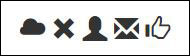
&lt;i class=&quot;glyphicon glyphicon-cloud&quot;&gt;&lt;/i&gt;
&lt;i class=&quot;glyphicon glyphicon-remove&quot;&gt;&lt;/i&gt;
&lt;i class=&quot;glyphicon glyphicon-user&quot;&gt;&lt;/i&gt;
&lt;i class=&quot;glyphicon glyphicon-envelope&quot;&gt;&lt;/i&gt;
&lt;i class=&quot;glyphicon glyphicon-thumbs-up&quot;&gt;&lt;/i&gt;

&lt;/body&gt;
&lt;/html&gt;</pre>

<p style="text-align: justify;"><img alt="Bootstrap là lựa chọn khá phổ biến để lấy icon cho trang HTML" data-i="1" data-src="https://st.quantrimang.com/photos/image/2018/06/27/css-icon-2.jpg" data-was-processed="true" height="56" src="https://st.quantrimang.com/photos/image/2018/06/27/css-icon-2.jpg" width="190" /><br />
<em>Bootstrap là lựa chọn khá phổ biến để lấy icon cho trang HTML</em></p>

<p style="text-align: justify;">Ví dụ khác:</p>

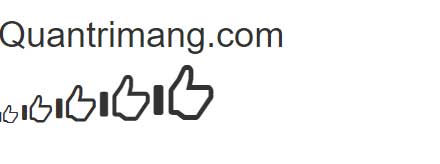
<p style="text-align: justify;">Ở ví dụ này, chúng ta đã dùng class “glyphicon glyphicon-thumbs-up” với hình dạng ngón tay cái giơ lên &amp; tất cả giá trị đều được thiết lập sang số khác nhau.</p>

<p style="text-align: justify;">Code mẫu:</p>

<pre id="pre5" style="text-align: justify;">
&lt;!DOCTYPE html&gt;
&lt;html&gt;
&lt;head&gt;
    &lt;link rel=&quot;stylesheet&quot;
          href=
&quot;https://maxcdn.bootstrapcdn.com/bootstrap/3.3.7/css/bootstrap.min.css&quot;&gt;
&lt;/head&gt;
&lt;body&gt;
    &lt;h1&gt;Quantrimang&lt;/h1&gt;
    &lt;i class=&quot;glyphicon glyphicon-thumbs-up&quot;
       style=&quot;font-size:20px;&quot;&gt;
      &lt;/i&gt;
    &lt;i class=&quot;glyphicon glyphicon-thumbs-up&quot;
       style=&quot;font-size:30px;&quot;&gt;
      &lt;/i&gt;
    &lt;i class=&quot;glyphicon glyphicon-thumbs-up&quot;
       style=&quot;font-size:40px;&quot;&gt;
      &lt;/i&gt;
    &lt;i class=&quot;glyphicon glyphicon-thumbs-up&quot;
       style=&quot;font-size:50px;&quot;&gt;
      &lt;/i&gt;
    &lt;i class=&quot;glyphicon glyphicon-thumbs-up&quot;
       style=&quot;font-size:60px;&quot;&gt;
      &lt;/i&gt;
&lt;/body&gt;
&lt;/html&gt;
</pre>

<p style="text-align: justify;"><img alt="Icon Quantrimang" data-i="2" data-src="https://st.quantrimang.com/photos/image/2023/08/29/icon-css-quantrimang.jpg" data-was-processed="true" height="164" src="https://st.quantrimang.com/photos/image/2023/08/29/icon-css-quantrimang.jpg" width="440" /></p>

<p style="text-align: justify;"><strong>Google Icon</strong></p>

<p style="text-align: justify;">Để dùng Google Icon, thêm dòng dưới đây vào phần&nbsp;<code>&lt;head&gt;</code>&nbsp;trong trang HTML. Cũng như 2 cách trên, bạn không cần tải hay cài đặt gì.</p>

<pre id="pre6" style="text-align: justify;">
&lt;link rel=&quot;stylesheet&quot; href=&quot;https://fonts.googleapis.com/icon?family=Material+Icons&quot;&gt;</pre>

<p style="text-align: justify;">Ví dụ Google Icon</p>

<pre id="pre7" style="text-align: justify;">
&lt;!DOCTYPE html&gt;
&lt;html&gt;
&lt;head&gt;
&lt;link rel=&quot;stylesheet&quot; href=&quot;https://fonts.googleapis.com/icon?family=Material+Icons&quot;&gt;
&lt;/head&gt;
&lt;body&gt;

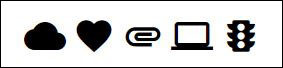
&lt;i class=&quot;material-icons&quot;&gt;cloud&lt;/i&gt;
&lt;i class=&quot;material-icons&quot;&gt;favorite&lt;/i&gt;
&lt;i class=&quot;material-icons&quot;&gt;attachment&lt;/i&gt;
&lt;i class=&quot;material-icons&quot;&gt;computer&lt;/i&gt;
&lt;i class=&quot;material-icons&quot;&gt;traffic&lt;/i&gt;

&lt;/body&gt;
&lt;/html&gt;</pre>

<p style="text-align: justify;"><img alt="Google cũng có thư viện icon riêng cho nhà phát triển" data-i="3" data-src="https://st.quantrimang.com/photos/image/2018/06/27/css-icon-3.jpg" data-was-processed="true" height="68" src="https://st.quantrimang.com/photos/image/2018/06/27/css-icon-3.jpg" width="283" /><br />
<em>Google cũng có thư viện icon riêng cho nhà phát triển</em></p>

<p style="text-align: justify;">Bằng cách kết hợp các thư viện biểu tượng này vào các dự án CSS, bạn có thể dễ dàng nâng cao sức hấp dẫn trực quan và trải nghiệm người dùng của trang HTML. Hãy thoải mái khám phá và tùy chỉnh nhiều biểu tượng mà mỗi thư viện cung cấp, cho phép bạn thể hiện sự sáng tạo của mình và đáp ứng các nhu cầu cụ thể của các nỗ lực phát triển web của bạn.</p>

<div style="text-align: justify;">&nbsp;</div>
		</div>
				<div id="author">
						<p>
				<strong>Nguồn tin:</strong>
				Quantrimang.com:
			</p>
		</div>
	</div>
	<div id="footer" class="clearfix">
		<div id="url">
			<strong>URL của bản tin này: </strong><a href="https://www.nguoicodonvn2008.info/vi/news/savefile/kien-thuc-may-tinh/icon-trong-css-10848.html" title="Icon trong CSS">https://www.nguoicodonvn2008.info/vi/news/savefile/kien-thuc-may-tinh/icon-trong-css-10848.html</a>

		</div>
		<div class="clear"></div>
		<div class="copyright">
			&copy; .&#x3A; Nguoicodonvn2008.info - Cõi lòng người cô đơn &#x3A;.
		</div>
		<div id="contact">
			<a href="mailto:admin@nguoicodonvn2008.info">admin@nguoicodonvn2008.info</a>
		</div>
	</div>
</div>
        <div id="timeoutsess" class="chromeframe">
            Bạn đã không sử dụng Site, <a onclick="timeoutsesscancel();" href="https://www.nguoicodonvn2008.info/#">Bấm vào đây để duy trì trạng thái đăng nhập</a>. Thời gian chờ: <span id="secField"> 60 </span> giây
        </div>
        <div id="openidResult" class="nv-alert" style="display:none"></div>
        <div id="openidBt" data-result="" data-redirect=""></div>
		</script>
		<div class="car-top">
  <span><img src="https://www.nguoicodonvn2008.info/themes/default/images/car.png" alt=""></span>
</div>
<script src="https://www.nguoicodonvn2008.info/assets/js/jquery/jquery.min.js"></script>
<script>var nv_base_siteurl="/",nv_lang_data="vi",nv_lang_interface="vi",nv_name_variable="nv",nv_fc_variable="op",nv_lang_variable="language",nv_module_name="news",nv_func_name="savefile",nv_is_user=0, nv_my_ofs=-4,nv_my_abbr="EDT",nv_cookie_prefix="nv4c_e856T",nv_check_pass_mstime=1738000,nv_area_admin=0,nv_safemode=0,theme_responsive=0,nv_recaptcha_ver=2,nv_recaptcha_sitekey="",nv_recaptcha_type="image",XSSsanitize=1;</script>
<script src="https://www.nguoicodonvn2008.info/assets/js/language/vi.js"></script>
<script src="https://www.nguoicodonvn2008.info/assets/js/DOMPurify/purify3.js"></script>
<script src="https://www.nguoicodonvn2008.info/assets/js/global.js"></script>
<script src="https://www.nguoicodonvn2008.info/assets/js/site.js"></script>
<script src="https://www.nguoicodonvn2008.info/themes/default/js/news.js"></script>
<script src="https://www.nguoicodonvn2008.info/themes/default/js/main.js"></script>
<script src="https://www.nguoicodonvn2008.info/themes/default/js/custom.js"></script>
<script type="application/ld+json">
        {
            "@context": "https://schema.org",
            "@type": "Organization",
            "url": "https://www.nguoicodonvn2008.info",
            "logo": "https://www.nguoicodonvn2008.info/uploads/angel.gif"
        }
        </script>
<script src="https://www.nguoicodonvn2008.info/themes/default/js/bootstrap.min.js"></script>
<script type="text/javascript">
var $scrolltop = $('.car-top');
$scrolltop.on('click', function () {
    $('html,body').animate({
        scrollTop: 0
    }, 800);
    $(this).addClass("car-run");
    setTimeout(function(){ $scrolltop.removeClass('car-run');}, 1000);
    return false;
});
$(window).on('scroll', function ()
{ 
    if($(window).scrollTop() >= 200)
    {
        $scrolltop.addClass("show");
        $scrolltop.addClass("car-down");
    }
    else
    {
       $scrolltop.removeClass("show");
       setTimeout(function(){ $scrolltop.removeClass('car-down');}, 300);
    }
});
</script>
</body>
</html>