<!DOCTYPE html>
    <html lang="vi" xmlns="http://www.w3.org/1999/xhtml" prefix="og: http://ogp.me/ns#">
    <head>
<title>Ép kiểu trong Python</title>
<meta name="description" content="Ép kiểu trong Python - Savefile - Tin Tức - https&#x3A;&#x002F;&#x002F;www.nguoicodonvn2008.info&#x002F;vi&#x002F;news&#x002F;savefile&#x002F;kien-thuc-may-tinh&#x002F;ep-kieu-trong-python-10821.html">
<meta name="author" content=".: Nguoicodonvn2008.info - Cõi lòng người cô đơn :.">
<meta name="copyright" content=".: Nguoicodonvn2008.info - Cõi lòng người cô đơn :. [admin@nguoicodonvn2008.info]">
<meta name="robots" content="index, archive, follow, noodp">
<meta name="googlebot" content="index,archive,follow,noodp">
<meta name="msnbot" content="all,index,follow">
<meta name="generator" content="NukeViet v4.5">
<meta http-equiv="Content-Type" content="text/html; charset=utf-8">
<meta property="og:title" content="Ép kiểu trong Python">
<meta property="og:type" content="website">
<meta property="og:description" content="Savefile - Tin Tức - https&#x3A;&#x002F;&#x002F;www.nguoicodonvn2008.info&#x002F;vi&#x002F;news&#x002F;savefile&#x002F;kien-thuc-may-tinh&#x002F;ep-kieu-trong-python-10821.html">
<meta property="og:site_name" content=".&#x3A; Nguoicodonvn2008.info - Cõi lòng người cô đơn &#x3A;.">
<meta property="og:url" content="https://www.nguoicodonvn2008.info/vi/news/savefile/kien-thuc-may-tinh/ep-kieu-trong-python-10821.html">
<link rel="shortcut icon" href="https://www.nguoicodonvn2008.info/favicon.ico">
<link rel="canonical" href="https://www.nguoicodonvn2008.info/vi/news/savefile/kien-thuc-may-tinh/ep-kieu-trong-python-10821.html">
<link rel="alternate" href="https://www.nguoicodonvn2008.info/vi/news/rss/" title="Tin Tức" type="application/rss+xml">
<link rel="alternate" href="https://www.nguoicodonvn2008.info/vi/news/rss/karaoke-dual/" title="Tin Tức - Karaoke Dual" type="application/rss+xml">
<link rel="alternate" href="https://www.nguoicodonvn2008.info/vi/news/rss/nhac-tre/" title="Tin Tức - Nhạc trẻ" type="application/rss+xml">
<link rel="alternate" href="https://www.nguoicodonvn2008.info/vi/news/rss/tru-tinh/" title="Tin Tức - Trữ tình" type="application/rss+xml">
<link rel="alternate" href="https://www.nguoicodonvn2008.info/vi/news/rss/nuoc-ngoai/" title="Tin Tức - Nước ngoài" type="application/rss+xml">
<link rel="alternate" href="https://www.nguoicodonvn2008.info/vi/news/rss/remix/" title="Tin Tức - Remix" type="application/rss+xml">
<link rel="alternate" href="https://www.nguoicodonvn2008.info/vi/news/rss/tam-su-tinh-yeu/" title="Tin Tức - Tâm sự tình yêu" type="application/rss+xml">
<link rel="alternate" href="https://www.nguoicodonvn2008.info/vi/news/rss/tho-suu-tam/" title="Tin Tức - Thơ sưu tầm" type="application/rss+xml">
<link rel="alternate" href="https://www.nguoicodonvn2008.info/vi/news/rss/cuoc-song/" title="Tin Tức - Cuộc sống" type="application/rss+xml">
<link rel="alternate" href="https://www.nguoicodonvn2008.info/vi/news/rss/phan-mem/" title="Tin Tức - Phần mềm" type="application/rss+xml">
<link rel="alternate" href="https://www.nguoicodonvn2008.info/vi/news/rss/kien-thuc-may-tinh/" title="Tin Tức - Kiến thức máy tính" type="application/rss+xml">
<link rel="alternate" href="https://www.nguoicodonvn2008.info/vi/news/rss/hoc-tap/" title="Tin Tức - Học tập" type="application/rss+xml">
<link rel="alternate" href="https://www.nguoicodonvn2008.info/vi/news/rss/tai-lieu/" title="Tin Tức - Tài liệu" type="application/rss+xml">
<link rel="alternate" href="https://www.nguoicodonvn2008.info/vi/news/rss/de-thi/" title="Tin Tức - Đề thi" type="application/rss+xml">
<link rel="preload" as="style" href="https://www.nguoicodonvn2008.info/assets/css/font-awesome.min.css" type="text/css">
<link rel="preload" as="style" href="https://www.nguoicodonvn2008.info/themes/default/css/bootstrap.non-responsive.css" type="text/css">
<link rel="preload" as="style" href="https://www.nguoicodonvn2008.info/themes/default/css/style.css" type="text/css">
<link rel="preload" as="style" href="https://www.nguoicodonvn2008.info/themes/default/css/style.non-responsive.css" type="text/css">
<link rel="preload" as="style" href="https://www.nguoicodonvn2008.info/themes/default/css/news.css" type="text/css">
<link rel="preload" as="style" href="https://www.nguoicodonvn2008.info/themes/default/css/custom.css" type="text/css">
<link rel="preload" as="script" href="https://www.nguoicodonvn2008.info/assets/js/jquery/jquery.min.js" type="text/javascript">
<link rel="preload" as="script" href="https://www.nguoicodonvn2008.info/assets/js/language/vi.js" type="text/javascript">
<link rel="preload" as="script" href="https://www.nguoicodonvn2008.info/assets/js/DOMPurify/purify3.js" type="text/javascript">
<link rel="preload" as="script" href="https://www.nguoicodonvn2008.info/assets/js/global.js" type="text/javascript">
<link rel="preload" as="script" href="https://www.nguoicodonvn2008.info/assets/js/site.js" type="text/javascript">
<link rel="preload" as="script" href="https://www.nguoicodonvn2008.info/themes/default/js/news.js" type="text/javascript">
<link rel="preload" as="script" href="https://www.nguoicodonvn2008.info/themes/default/js/main.js" type="text/javascript">
<link rel="preload" as="script" href="https://www.nguoicodonvn2008.info/themes/default/js/custom.js" type="text/javascript">
<link rel="preload" as="script" href="https://www.nguoicodonvn2008.info/themes/default/js/bootstrap.min.js" type="text/javascript">
<link rel="stylesheet" href="https://www.nguoicodonvn2008.info/assets/css/font-awesome.min.css">
<link rel="stylesheet" href="https://www.nguoicodonvn2008.info/themes/default/css/bootstrap.non-responsive.css">
<link rel="stylesheet" href="https://www.nguoicodonvn2008.info/themes/default/css/style.css">
<link rel="stylesheet" href="https://www.nguoicodonvn2008.info/themes/default/css/style.non-responsive.css">
<link rel="StyleSheet" href="https://www.nguoicodonvn2008.info/themes/default/css/news.css">
<link rel="stylesheet" href="https://www.nguoicodonvn2008.info/themes/default/css/custom.css">
<style type="text/css">
	body{background: #fff;}
</style>
    </head>
    <body>
<div id="print">
	<div id="hd_print">
		<h2 class="pull-left">.&#x3A; Nguoicodonvn2008.info - Cõi lòng người cô đơn &#x3A;.</h2>
		<p class="pull-right"><a title=".&#x3A; Nguoicodonvn2008.info - Cõi lòng người cô đơn &#x3A;." href="https://www.nguoicodonvn2008.info/">https://www.nguoicodonvn2008.info</a></p>
	</div>
	<div class="clear"></div>
	<hr />
	<div id="content">
		<h1>Ép kiểu trong Python</h1>
		<ul class="list-inline">
			<li>Thứ tư - 23/07/2025 02:02</li>
			<li class="hidden-print txtrequired"><em class="fa fa-print">&nbsp;</em><a title="In ra" href="javascript:;" onclick="window.print()">In ra</a></li>
			<li class="hidden-print txtrequired"><em class="fa fa-power-off">&nbsp;</em><a title="Đóng cửa sổ này" href="javascript:;" onclick="window.close()">Đóng cửa sổ này</a></li>
		</ul>
		<div class="clear"></div>
		<div id="hometext">
		</div>
				<div class="imghome">
			<img alt="Ép kiểu trong Python" src="https://st.quantrimang.com/photos/image/2022/12/30/Python-Casting-7.jpg" width="460" class="img-thumbnail" />
		</div>
		<div class="clear"></div>
		<div id="bodytext" class="clearfix">
			<h1 style="text-align: justify;"><br />
<strong style="font-size: 13px;">Ép kiểu trong Python&nbsp;</strong><span style="font-size: 13px;">được dùng để làm gì? Bài viết sẽ cung cấp cho bạn những điều cần biết về</span><strong style="font-size: 13px;">&nbsp;ép kiểu Python</strong><span style="font-size: 13px;">.</span></h1>

<p style="text-align: justify;"><img alt="Ép kiểu trong Python" data-adbro-processed="true" data-i="0" data-src="https://st.quantrimang.com/photos/image/2022/12/30/Python-Casting-7.jpg" data-was-processed="true" height="340" src="https://st.quantrimang.com/photos/image/2022/12/30/Python-Casting-7.jpg" width="650" /></p>

<p style="text-align: justify;">Kiểu dữ liệu trong Python là sự phân loại hoặc sắp xếp các mục dữ liệu (như số, số nguyên, chuỗi, v.v.). Kiểu dữ liệu biểu diễn loại giá trị và cũng cho biết những thao tác nào có thể được thực hiện trên một dữ liệu cụ thể (dữ liệu có thể ở bất kỳ dạng nào). Python có năm kiểu dữ liệu tích hợp (chung) là - số, kiểu chuỗi, boolean, tập hợp và từ điển.</p>

<p style="text-align: justify;">Từ góc độ lập trình, ép kiểu (type casting) là việc chuyển đổi một đối tượng từ kiểu này sang kiểu khác. Ở đây, chúng ta sẽ tìm hiểu về ép kiểu trong Lập trình Python.</p>

<p style="text-align: justify;">Ép kiểu Python là một quá trình trong đó chúng ta chuyển đổi một giá trị thực của một kiểu dữ liệu sang một kiểu dữ liệu khác. Python hỗ trợ hai kiểu ép kiểu - ngầm định và rõ ràng.</p>

<p style="text-align: justify;">Trong Python có nhiều kiểu dữ liệu khác nhau, chẳng hạn như số, chuỗi, ánh xạ, v.v. Có thể có trường hợp bạn có sẵn dữ liệu của một kiểu nhưng muốn sử dụng nó ở dạng khác. Ví dụ: người dùng nhập một chuỗi nhưng bạn muốn sử dụng nó dưới dạng số. Cơ chế ép kiểu của Python cho phép bạn làm điều đó.</p>

<h2 style="text-align: justify;">Xác định kiểu biến</h2>

<p style="text-align: justify;">Đôi khi có thể bạn muốn chỉ định một kiểu cho biến. Điều này có thể thực hiện được bằng casting hay ép kiểu trong Python.</p>

<p style="text-align: justify;">Python là một ngôn ngữ định hướng đối tượng, vì thế, nó dùng class để xác định kiểu dữ liệu, bao gồm cả các kiểu “nguyên thủy” của nó.</p>

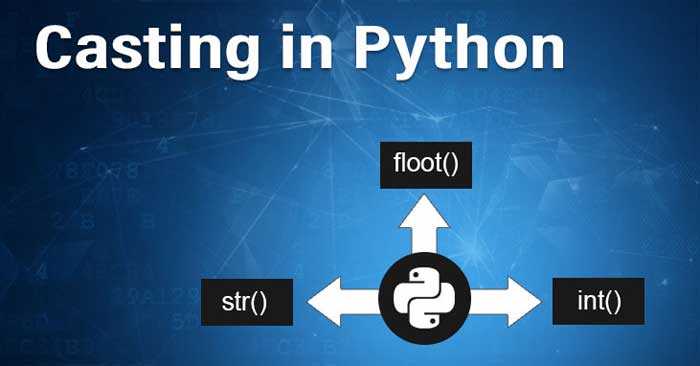
<p style="text-align: justify;">Ép kiểu trong Python được thực hiện bằng cách dùng các hàm khởi tạo:</p>

<ul>
	<li style="text-align: justify;"><code>Int()</code>&nbsp;- Xây dựng một số nguyên từ một số nguyên, một ký tự float (bằng cách loại bỏ tất cả các số thập phân) hoặc một chuỗi ký tự (cung cấp chuỗi đại diện cho một số nguyên).</li>
	<li style="text-align: justify;"><code>Float()</code>- Xây dựng một số float từ một số nguyên, một số float hoặc một chuỗi ký tự (cung cấp chuỗi đại diện cho một số float hoặc một số nguyên)</li>
	<li style="text-align: justify;"><code>Str()</code>&nbsp;- Xây dựng một chuỗi từ một loạt kiểu dữ liệu, bao gồm chuỗi, chuỗi số nguyên và chuỗi ký tự float.</li>
</ul>

<p style="text-align: justify;"><strong>Ví dụ:</strong></p>

<p style="text-align: justify;">Số nguyên:</p>

<pre id="pre0" style="text-align: justify;">
x = int(1)   # x sẽ là 1
y = int(2.8) # y sẽ  là 2
z = int(&quot;3&quot;) # z sẽ là 3</pre>

<p style="text-align: justify;">Float:</p>

<pre id="pre1" style="text-align: justify;">
x = str(&quot;s1&quot;) # x sẽ là &#039;s1&#039;
y = str(2)    # y sẽ là &#039;2&#039;
z = str(3.0)  # z sẽ là &#039;3.0&#039;</pre>

<h2 style="text-align: justify;">Bảng các hàm ép kiểu dữ liệu trong Python</h2>

<table border="1" cellpadding="2" cellspacing="2">
	<tbody>
		<tr>
			<th style="text-align: justify;">STT</th>
			<th style="text-align: justify;">Chức năng và mô tả</th>
		</tr>
		<tr>
			<td style="text-align: justify;">1</td>
			<td style="text-align: justify;">int(x &#91;,base&#93;) ép kiểu int</td>
		</tr>
		<tr>
			<td style="text-align: justify;">2</td>
			<td style="text-align: justify;">long(x &#91;,base&#93; ) ép kiểu long int.</td>
		</tr>
		<tr>
			<td style="text-align: justify;">3</td>
			<td style="text-align: justify;">float(x) ép kiểu float.</td>
		</tr>
		<tr>
			<td style="text-align: justify;">4</td>
			<td style="text-align: justify;">complex(real &#91;,imag&#93;) ép kiểu complex number.</td>
		</tr>
		<tr>
			<td style="text-align: justify;">5</td>
			<td style="text-align: justify;">str(x) ép kiểu string.</td>
		</tr>
		<tr>
			<td style="text-align: justify;">6</td>
			<td style="text-align: justify;">repr(x) ép thành chuỗi biểu thức.</td>
		</tr>
		<tr>
			<td style="text-align: justify;">7</td>
			<td style="text-align: justify;">eval(str) ép chuỗi sang object.</td>
		</tr>
		<tr>
			<td style="text-align: justify;">8</td>
			<td style="text-align: justify;">tuple(s) ép kiểu tuple.</td>
		</tr>
		<tr>
			<td style="text-align: justify;">9</td>
			<td style="text-align: justify;">list(s) ép kiểu list.</td>
		</tr>
		<tr>
			<td style="text-align: justify;">10</td>
			<td style="text-align: justify;">set(s) ép kiểu set.</td>
		</tr>
		<tr>
			<td style="text-align: justify;">11</td>
			<td style="text-align: justify;">dict(d) ép kiểu dictionary.</td>
		</tr>
		<tr>
			<td style="text-align: justify;">12</td>
			<td style="text-align: justify;">frozenset(s) ép kiểu frozen set.</td>
		</tr>
		<tr>
			<td style="text-align: justify;">13</td>
			<td style="text-align: justify;">chr(x) ép kiểu in sang kiểu char</td>
		</tr>
		<tr>
			<td style="text-align: justify;">14</td>
			<td style="text-align: justify;">unichr(x) ép kiểu int sang Unicode character.</td>
		</tr>
		<tr>
			<td style="text-align: justify;">15</td>
			<td style="text-align: justify;">ord(x) ép ký tự sang kiểu int.</td>
		</tr>
		<tr>
			<td style="text-align: justify;">16</td>
			<td style="text-align: justify;">hex(x) ép kiểu integer sang chuỗi thập lục phân.</td>
		</tr>
		<tr>
			<td style="text-align: justify;">17</td>
			<td style="text-align: justify;">oct(x) ép kiểu integer chuỗi bát phân.</td>
		</tr>
	</tbody>
</table>

<p style="text-align: justify;">Type Casting là phương thức chuyển đổi kiểu dữ liệu biến Python thành một kiểu dữ liệu cụ thể để người dùng thực hiện được thao tác cần thiết. Hãy xem xét ví để hiểu rõ hơn về nó.</p>

<h3 style="text-align: justify;">Chuyển đổi số nguyên sang chuỗi</h3>

<p style="text-align: justify;">Ví dụ:</p>

<pre id="pre2" style="text-align: justify;">
# Python program to demonstrate 
# type Casting 
# int variable
a = 5
# typecast to str
n = str(a)
print(n)
print(type(n))</pre>

<p style="text-align: justify;">\Kết quả:</p>

<pre id="pre3" style="text-align: justify;">
5
&lt;class &#039;str&#039;&gt;</pre>

<h3 style="text-align: justify;">Chuyển đổi chuỗi sang số nguyên</h3>

<p style="text-align: justify;">Nếu chuỗi được cung cấp không phải số, thì bạn sẽ nhận được thông báo lỗi.</p>

<pre id="pre4" style="text-align: justify;">
# string variable
a = &quot;5&quot;
b = &#039;t&#039;
# typecast to int
n = int(a)
print(n)
print(type(n))
print(int(b))
print(type(b))</pre>

<p style="text-align: justify;">Kết quả:</p>

<pre id="pre5" style="text-align: justify;">
5
&lt;class &#039;int&#039;&gt;
---------------------------------------------------------------------------
ValueError                                Traceback (most recent call last)
Cell In&#91;3&#93;, line 14
     11 print(n)
     12 print(type(n))
---&gt; 14 print(int(b))
     15 print(type(b))

ValueError: invalid literal for int() with base 10: &#039;t&#039;</pre>

<h3 style="text-align: justify;">Thêm chuỗi và số nguyên bằng chuyển đổi rõ ràng</h3>

<pre id="pre6" style="text-align: justify;">
# integer variable
a = 5
# string variable
b = &#039;t&#039;
# typecast to int
n = a+b
print(n)
print(type(n))</pre>

<p style="text-align: justify;">Kết quả:</p>

<pre id="pre7" style="text-align: justify;">
TypeError                                 Traceback (most recent call last)
Cell In&#91;5&#93;, line 10
      7 b = &#039;t&#039;
      9 # typecast to int
---&gt; 10 n = a+b
     12 print(n)
     13 print(type(n))</pre>

<p style="text-align: justify;">Tóm lại, những điều cần ghi nhớ về ép kiểu trong Python:</p>

<ul>
	<li style="text-align: justify;">Chuyển đổi một kiểu dữ liệu sang kiểu dữ liệu khác được gọi là ép kiểu trong Python hay chuyển đổi kiểu trong Python.</li>
	<li style="text-align: justify;">Python hỗ trợ một loạt các hàm hay phương thức như: int(), float(), str(), ord(), hex(), oct(), tuple(), set(), list(), dict()… cho ép kiểu trong Python.</li>
	<li style="text-align: justify;">Có hai kiểu typecasting trong Python: Explicit Conversion (rõ ràng), và Implicit Conversion (ngầm định).</li>
	<li style="text-align: justify;">Chuyển đổi một kiểu dữ liệu sang kiểu dữ liệu khác, được thực hiện qua sự can thiệp của người dùng hoặc thủ công theo yêu cầu, được gọi là chuyển đổi kiểu rõ ràng.</li>
	<li style="text-align: justify;">Theo cấp độ của kiểu dữ liệu, một kiểu dữ liệu được chuyển sang kiểu khác bằng trình phiên dịch Python (tự động), được gọi là ép kiểu ngầm định trong Python.</li>
</ul>

<p style="text-align: justify;">Trên đây là những thông tin cơ bản bạn cần biết về&nbsp;<strong>ép kiểu trong Python</strong>. Hi vọng bài viết hữu ích với các bạn.</p>
		</div>
				<div id="author">
						<p>
				<strong>Nguồn tin:</strong>
				Quantrimang.com:
			</p>
		</div>
	</div>
	<div id="footer" class="clearfix">
		<div id="url">
			<strong>URL của bản tin này: </strong><a href="https://www.nguoicodonvn2008.info/vi/news/savefile/kien-thuc-may-tinh/ep-kieu-trong-python-10821.html" title="Ép kiểu trong Python">https://www.nguoicodonvn2008.info/vi/news/savefile/kien-thuc-may-tinh/ep-kieu-trong-python-10821.html</a>

		</div>
		<div class="clear"></div>
		<div class="copyright">
			&copy; .&#x3A; Nguoicodonvn2008.info - Cõi lòng người cô đơn &#x3A;.
		</div>
		<div id="contact">
			<a href="mailto:admin@nguoicodonvn2008.info">admin@nguoicodonvn2008.info</a>
		</div>
	</div>
</div>
        <div id="timeoutsess" class="chromeframe">
            Bạn đã không sử dụng Site, <a onclick="timeoutsesscancel();" href="https://www.nguoicodonvn2008.info/#">Bấm vào đây để duy trì trạng thái đăng nhập</a>. Thời gian chờ: <span id="secField"> 60 </span> giây
        </div>
        <div id="openidResult" class="nv-alert" style="display:none"></div>
        <div id="openidBt" data-result="" data-redirect=""></div>
		</script>
		<div class="car-top">
  <span><img src="https://www.nguoicodonvn2008.info/themes/default/images/car.png" alt=""></span>
</div>
<script src="https://www.nguoicodonvn2008.info/assets/js/jquery/jquery.min.js"></script>
<script>var nv_base_siteurl="/",nv_lang_data="vi",nv_lang_interface="vi",nv_name_variable="nv",nv_fc_variable="op",nv_lang_variable="language",nv_module_name="news",nv_func_name="savefile",nv_is_user=0, nv_my_ofs=-4,nv_my_abbr="EDT",nv_cookie_prefix="nv4c_e856T",nv_check_pass_mstime=1738000,nv_area_admin=0,nv_safemode=0,theme_responsive=0,nv_recaptcha_ver=2,nv_recaptcha_sitekey="",nv_recaptcha_type="image",XSSsanitize=1;</script>
<script src="https://www.nguoicodonvn2008.info/assets/js/language/vi.js"></script>
<script src="https://www.nguoicodonvn2008.info/assets/js/DOMPurify/purify3.js"></script>
<script src="https://www.nguoicodonvn2008.info/assets/js/global.js"></script>
<script src="https://www.nguoicodonvn2008.info/assets/js/site.js"></script>
<script src="https://www.nguoicodonvn2008.info/themes/default/js/news.js"></script>
<script src="https://www.nguoicodonvn2008.info/themes/default/js/main.js"></script>
<script src="https://www.nguoicodonvn2008.info/themes/default/js/custom.js"></script>
<script type="application/ld+json">
        {
            "@context": "https://schema.org",
            "@type": "Organization",
            "url": "https://www.nguoicodonvn2008.info",
            "logo": "https://www.nguoicodonvn2008.info/uploads/angel.gif"
        }
        </script>
<script src="https://www.nguoicodonvn2008.info/themes/default/js/bootstrap.min.js"></script>
<script type="text/javascript">
var $scrolltop = $('.car-top');
$scrolltop.on('click', function () {
    $('html,body').animate({
        scrollTop: 0
    }, 800);
    $(this).addClass("car-run");
    setTimeout(function(){ $scrolltop.removeClass('car-run');}, 1000);
    return false;
});
$(window).on('scroll', function ()
{ 
    if($(window).scrollTop() >= 200)
    {
        $scrolltop.addClass("show");
        $scrolltop.addClass("car-down");
    }
    else
    {
       $scrolltop.removeClass("show");
       setTimeout(function(){ $scrolltop.removeClass('car-down');}, 300);
    }
});
</script>
</body>
</html>