<!DOCTYPE html>
    <html lang="vi" xmlns="http://www.w3.org/1999/xhtml" prefix="og: http://ogp.me/ns#">
    <head>
<title>Cmdlet là gì? Cmdlet khác gì các lệnh trong PowerShell?</title>
<meta name="description" content="Cmdlet là gì? Cmdlet khác gì các lệnh trong PowerShell? - Savefile - Tin Tức -...">
<meta name="author" content=".: Nguoicodonvn2008.info - Cõi lòng người cô đơn :.">
<meta name="copyright" content=".: Nguoicodonvn2008.info - Cõi lòng người cô đơn :. [admin@nguoicodonvn2008.info]">
<meta name="robots" content="index, archive, follow, noodp">
<meta name="googlebot" content="index,archive,follow,noodp">
<meta name="msnbot" content="all,index,follow">
<meta name="generator" content="NukeViet v4.5">
<meta http-equiv="Content-Type" content="text/html; charset=utf-8">
<meta property="og:title" content="Cmdlet là gì? Cmdlet khác gì các lệnh trong PowerShell?">
<meta property="og:type" content="website">
<meta property="og:description" content="Savefile - Tin Tức - https&#x3A;&#x002F;&#x002F;www.nguoicodonvn2008.info&#x002F;vi&#x002F;news&#x002F;savefile&#x002F;kien-thuc-may-tinh&#x002F;cmdlet-la-gi-cmdlet-khac-gi-cac-lenh-trong-powershell-1674.html">
<meta property="og:site_name" content=".&#x3A; Nguoicodonvn2008.info - Cõi lòng người cô đơn &#x3A;.">
<meta property="og:url" content="https://www.nguoicodonvn2008.info/vi/news/savefile/kien-thuc-may-tinh/cmdlet-la-gi-cmdlet-khac-gi-cac-lenh-trong-powershell-1674.html">
<link rel="shortcut icon" href="https://www.nguoicodonvn2008.info/favicon.ico">
<link rel="canonical" href="https://www.nguoicodonvn2008.info/vi/news/savefile/kien-thuc-may-tinh/cmdlet-la-gi-cmdlet-khac-gi-cac-lenh-trong-powershell-1674.html">
<link rel="alternate" href="https://www.nguoicodonvn2008.info/vi/news/rss/" title="Tin Tức" type="application/rss+xml">
<link rel="alternate" href="https://www.nguoicodonvn2008.info/vi/news/rss/karaoke-dual/" title="Tin Tức - Karaoke Dual" type="application/rss+xml">
<link rel="alternate" href="https://www.nguoicodonvn2008.info/vi/news/rss/nhac-tre/" title="Tin Tức - Nhạc trẻ" type="application/rss+xml">
<link rel="alternate" href="https://www.nguoicodonvn2008.info/vi/news/rss/tru-tinh/" title="Tin Tức - Trữ tình" type="application/rss+xml">
<link rel="alternate" href="https://www.nguoicodonvn2008.info/vi/news/rss/nuoc-ngoai/" title="Tin Tức - Nước ngoài" type="application/rss+xml">
<link rel="alternate" href="https://www.nguoicodonvn2008.info/vi/news/rss/remix/" title="Tin Tức - Remix" type="application/rss+xml">
<link rel="alternate" href="https://www.nguoicodonvn2008.info/vi/news/rss/tam-su-tinh-yeu/" title="Tin Tức - Tâm sự tình yêu" type="application/rss+xml">
<link rel="alternate" href="https://www.nguoicodonvn2008.info/vi/news/rss/tho-suu-tam/" title="Tin Tức - Thơ sưu tầm" type="application/rss+xml">
<link rel="alternate" href="https://www.nguoicodonvn2008.info/vi/news/rss/cuoc-song/" title="Tin Tức - Cuộc sống" type="application/rss+xml">
<link rel="alternate" href="https://www.nguoicodonvn2008.info/vi/news/rss/phan-mem/" title="Tin Tức - Phần mềm" type="application/rss+xml">
<link rel="alternate" href="https://www.nguoicodonvn2008.info/vi/news/rss/kien-thuc-may-tinh/" title="Tin Tức - Kiến thức máy tính" type="application/rss+xml">
<link rel="alternate" href="https://www.nguoicodonvn2008.info/vi/news/rss/hoc-tap/" title="Tin Tức - Học tập" type="application/rss+xml">
<link rel="alternate" href="https://www.nguoicodonvn2008.info/vi/news/rss/tai-lieu/" title="Tin Tức - Tài liệu" type="application/rss+xml">
<link rel="alternate" href="https://www.nguoicodonvn2008.info/vi/news/rss/de-thi/" title="Tin Tức - Đề thi" type="application/rss+xml">
<link rel="preload" as="style" href="https://www.nguoicodonvn2008.info/assets/css/font-awesome.min.css" type="text/css">
<link rel="preload" as="style" href="https://www.nguoicodonvn2008.info/themes/default/css/bootstrap.non-responsive.css" type="text/css">
<link rel="preload" as="style" href="https://www.nguoicodonvn2008.info/themes/default/css/style.css" type="text/css">
<link rel="preload" as="style" href="https://www.nguoicodonvn2008.info/themes/default/css/style.non-responsive.css" type="text/css">
<link rel="preload" as="style" href="https://www.nguoicodonvn2008.info/themes/default/css/news.css" type="text/css">
<link rel="preload" as="style" href="https://www.nguoicodonvn2008.info/themes/default/css/custom.css" type="text/css">
<link rel="preload" as="script" href="https://www.nguoicodonvn2008.info/assets/js/jquery/jquery.min.js" type="text/javascript">
<link rel="preload" as="script" href="https://www.nguoicodonvn2008.info/assets/js/language/vi.js" type="text/javascript">
<link rel="preload" as="script" href="https://www.nguoicodonvn2008.info/assets/js/DOMPurify/purify3.js" type="text/javascript">
<link rel="preload" as="script" href="https://www.nguoicodonvn2008.info/assets/js/global.js" type="text/javascript">
<link rel="preload" as="script" href="https://www.nguoicodonvn2008.info/assets/js/site.js" type="text/javascript">
<link rel="preload" as="script" href="https://www.nguoicodonvn2008.info/themes/default/js/news.js" type="text/javascript">
<link rel="preload" as="script" href="https://www.nguoicodonvn2008.info/themes/default/js/main.js" type="text/javascript">
<link rel="preload" as="script" href="https://www.nguoicodonvn2008.info/themes/default/js/custom.js" type="text/javascript">
<link rel="preload" as="script" href="https://www.nguoicodonvn2008.info/themes/default/js/bootstrap.min.js" type="text/javascript">
<link rel="stylesheet" href="https://www.nguoicodonvn2008.info/assets/css/font-awesome.min.css">
<link rel="stylesheet" href="https://www.nguoicodonvn2008.info/themes/default/css/bootstrap.non-responsive.css">
<link rel="stylesheet" href="https://www.nguoicodonvn2008.info/themes/default/css/style.css">
<link rel="stylesheet" href="https://www.nguoicodonvn2008.info/themes/default/css/style.non-responsive.css">
<link rel="StyleSheet" href="https://www.nguoicodonvn2008.info/themes/default/css/news.css">
<link rel="stylesheet" href="https://www.nguoicodonvn2008.info/themes/default/css/custom.css">
<style type="text/css">
	body{background: #fff;}
</style>
    </head>
    <body>
<div id="print">
	<div id="hd_print">
		<h2 class="pull-left">.&#x3A; Nguoicodonvn2008.info - Cõi lòng người cô đơn &#x3A;.</h2>
		<p class="pull-right"><a title=".&#x3A; Nguoicodonvn2008.info - Cõi lòng người cô đơn &#x3A;." href="https://www.nguoicodonvn2008.info/">https://www.nguoicodonvn2008.info</a></p>
	</div>
	<div class="clear"></div>
	<hr />
	<div id="content">
		<h1>Cmdlet là gì? Cmdlet khác gì các lệnh trong PowerShell?</h1>
		<ul class="list-inline">
			<li>Thứ bảy - 15/02/2020 00:05</li>
			<li class="hidden-print txtrequired"><em class="fa fa-print">&nbsp;</em><a title="In ra" href="javascript:;" onclick="window.print()">In ra</a></li>
			<li class="hidden-print txtrequired"><em class="fa fa-power-off">&nbsp;</em><a title="Đóng cửa sổ này" href="javascript:;" onclick="window.close()">Đóng cửa sổ này</a></li>
		</ul>
		<div class="clear"></div>
		<div id="hometext">
		</div>
				<div class="imghome">
			<img alt="Cmdlet là gì? Cmdlet khác gì các lệnh trong PowerShell?" src="https://st.quantrimang.com/photos/image/2020/02/15/cmdlet-la-gi-1.jpg" width="460" class="img-thumbnail" />
		</div>
		<div class="clear"></div>
		<div id="bodytext" class="clearfix">
			<p style="text-align: justify;">Khi làm việc với&nbsp;Windows PowerShell, bạn có thể đã bắt gặp thuật ngữ cmdlet và cảm thấy hơi bối rối. Cmdlet là gì? Nó có hoàn toàn khác với một lệnh trong PowerShell không hay đơn giản chỉ là một tên gọi khác? Cùng&nbsp;<strong>Quantrimang.com</strong>&nbsp;tìm câu trả lời trong bài viết sau đây nhé!</p>

<h2 style="text-align: justify;">Cmdlet là gì?</h2>

<p style="text-align: justify;">Cmdlet (đọc là &quot;command-let&quot;) là một script Windows PowerShell gọn nhẹ, thực hiện một chức năng.</p>

<p style="text-align: justify;">Một lệnh, trong ngữ cảnh này, là thứ tự cụ thể từ người dùng đến hệ điều hành của máy tính hoặc một ứng dụng để thực hiện một service, chẳng hạn như hiển thị tất cả các file hoặc chạy chương trình.</p>

<p style="text-align: justify;">Mặc dù Windows PowerShell bao gồm hơn 200 cmdlet ngắn cơ bản, nhưng các admin cũng có thể viết những cmdlet của riêng mình và chia sẻ chúng.</p>

<p style="text-align: justify;">Cmdlet có phần mở rộng&nbsp;<strong>.ps1</strong>. Mỗi cmdlet sở hữu một file trợ giúp, có thể được truy cập bằng cách nhập:</p>

<pre id="pre0">
<code>Get-Help &lt;cmdlet-Name&gt; -Detailed</code></pre>

<p style="text-align: justify;">Chế độ xem chi tiết của file trợ giúp cmdlet bao gồm mô tả về cmdlet, cú pháp lệnh, mô tả các tham số và một ví dụ minh họa việc sử dụng cmdlet.</p>

<figure>
<div style="text-align: justify;"><img alt="Cmdlet trong PowerShell" data-i="0" data-src="https://st.quantrimang.com/photos/image/2020/02/15/cmdlet-la-gi-1.jpg" data-was-processed="true" height="300" src="https://st.quantrimang.com/photos/image/2020/02/15/cmdlet-la-gi-1.jpg" width="650" /></div>

<figcaption>
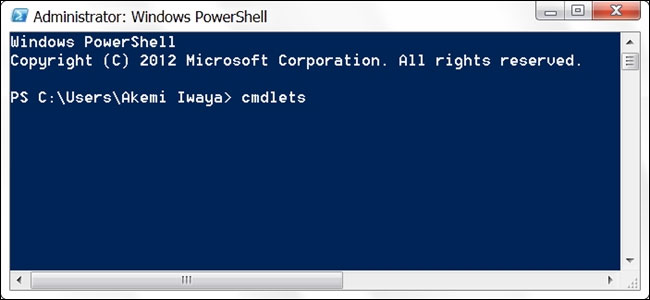
<div style="text-align: justify;">Cmdlet trong PowerShell</div>
</figcaption>
</figure>

<div style="text-align: justify;">&nbsp;</div>

<h2 style="text-align: justify;">Những cmdlet cơ bản phổ biến</h2>

<p style="text-align: justify;">Các cmdlet cơ bản phổ biến bao gồm:</p>

<table border="1">
	<tbody>
		<tr>
			<td valign="top" width="399">
			<p style="text-align: justify;"><strong>Cmdlet</strong></p>
			</td>
			<td valign="top" width="399">
			<p style="text-align: justify;"><strong>Chức năng</strong></p>
			</td>
		</tr>
		<tr>
			<td valign="top" width="399">
			<p style="text-align: justify;">Get-Location</p>
			</td>
			<td valign="top" width="399">
			<p style="text-align: justify;">Chọn thư mục hiện hành</p>
			</td>
		</tr>
		<tr>
			<td valign="top" width="399">
			<p style="text-align: justify;">Set-Location</p>
			</td>
			<td valign="top" width="399">
			<p style="text-align: justify;">Thay đổi thư mục hiện hành</p>
			</td>
		</tr>
		<tr>
			<td valign="top" width="399">
			<p style="text-align: justify;">Copy-Item</p>
			</td>
			<td valign="top" width="399">
			<p style="text-align: justify;">Sao chép file</p>
			</td>
		</tr>
		<tr>
			<td valign="top" width="399">
			<p style="text-align: justify;">Remove-Item</p>
			</td>
			<td valign="top" width="399">
			<p style="text-align: justify;">Loại bỏ một file hoặc thư mục</p>
			</td>
		</tr>
		<tr>
			<td valign="top" width="399">
			<p style="text-align: justify;">Move-Item</p>
			</td>
			<td valign="top" width="399">
			<p style="text-align: justify;">Di chuyển một file</p>
			</td>
		</tr>
		<tr>
			<td valign="top" width="399">
			<p style="text-align: justify;">Rename-Item</p>
			</td>
			<td valign="top" width="399">
			<p style="text-align: justify;">Đặt lại tên cho file</p>
			</td>
		</tr>
		<tr>
			<td valign="top" width="399">
			<p style="text-align: justify;">New-Item</p>
			</td>
			<td valign="top" width="399">
			<p style="text-align: justify;">Tạo một file hoặc thư mục trống mới</p>
			</td>
		</tr>
	</tbody>
</table>

<h2 style="text-align: justify;">Cmdlet khác gì với các lệnh khác trong PowerShell?</h2>

<p style="text-align: justify;">Cmdlet khác với các lệnh trong môi trường command-shell khác như sau:</p>

<ul>
	<li style="text-align: justify;">Cmdlet là ví dụ về các lớp .NET Framework và không phải là những file thực thi độc lập.</li>
	<li style="text-align: justify;">Cmdlet có thể được tạo từ vài chục dòng code.</li>
	<li style="text-align: justify;">Cmdlet thường không tự phân tích cú pháp, trình bày lỗi hoặc định dạng đầu ra. Việc phân tích cú pháp, trình bày lỗi và định dạng đầu ra được xử lý bởi Windows PowerShell Runtime.</li>
	<li style="text-align: justify;">Cmdlet xử lý những đối tượng đầu vào từ pipeline (dòng dữ liệu di chuyển thông qua cmdlet) thay vì từ các luồng văn bản và cmdlet thường phân phối các đối tượng làm đầu ra cho pipeline.</li>
	<li style="text-align: justify;">Cmdlet xử lý một đối tượng tại một thời điểm.</li>
</ul>
		</div>
				<div id="author">
						<p>
				<strong>Nguồn tin:</strong>
				Quantrimang.com
			</p>
		</div>
	</div>
	<div id="footer" class="clearfix">
		<div id="url">
			<strong>URL của bản tin này: </strong><a href="https://www.nguoicodonvn2008.info/vi/news/savefile/kien-thuc-may-tinh/cmdlet-la-gi-cmdlet-khac-gi-cac-lenh-trong-powershell-1674.html" title="Cmdlet là gì? Cmdlet khác gì các lệnh trong PowerShell?">https://www.nguoicodonvn2008.info/vi/news/savefile/kien-thuc-may-tinh/cmdlet-la-gi-cmdlet-khac-gi-cac-lenh-trong-powershell-1674.html</a>

		</div>
		<div class="clear"></div>
		<div class="copyright">
			&copy; .&#x3A; Nguoicodonvn2008.info - Cõi lòng người cô đơn &#x3A;.
		</div>
		<div id="contact">
			<a href="mailto:admin@nguoicodonvn2008.info">admin@nguoicodonvn2008.info</a>
		</div>
	</div>
</div>
        <div id="timeoutsess" class="chromeframe">
            Bạn đã không sử dụng Site, <a onclick="timeoutsesscancel();" href="https://www.nguoicodonvn2008.info/#">Bấm vào đây để duy trì trạng thái đăng nhập</a>. Thời gian chờ: <span id="secField"> 60 </span> giây
        </div>
        <div id="openidResult" class="nv-alert" style="display:none"></div>
        <div id="openidBt" data-result="" data-redirect=""></div>
		</script>
		<div class="car-top">
  <span><img src="https://www.nguoicodonvn2008.info/themes/default/images/car.png" alt=""></span>
</div>
<div id="run_cronjobs" style="visibility:hidden;display:none;"><img alt="cron" src="/index.php?second=cronjobs&amp;p=k6gpwKH6" width="1" height="1" /></div>
<script src="https://www.nguoicodonvn2008.info/assets/js/jquery/jquery.min.js"></script>
<script>var nv_base_siteurl="/",nv_lang_data="vi",nv_lang_interface="vi",nv_name_variable="nv",nv_fc_variable="op",nv_lang_variable="language",nv_module_name="news",nv_func_name="savefile",nv_is_user=0, nv_my_ofs=-4,nv_my_abbr="EDT",nv_cookie_prefix="nv4c_e856T",nv_check_pass_mstime=1738000,nv_area_admin=0,nv_safemode=0,theme_responsive=0,nv_recaptcha_ver=2,nv_recaptcha_sitekey="",nv_recaptcha_type="image",XSSsanitize=1;</script>
<script src="https://www.nguoicodonvn2008.info/assets/js/language/vi.js"></script>
<script src="https://www.nguoicodonvn2008.info/assets/js/DOMPurify/purify3.js"></script>
<script src="https://www.nguoicodonvn2008.info/assets/js/global.js"></script>
<script src="https://www.nguoicodonvn2008.info/assets/js/site.js"></script>
<script src="https://www.nguoicodonvn2008.info/themes/default/js/news.js"></script>
<script src="https://www.nguoicodonvn2008.info/themes/default/js/main.js"></script>
<script src="https://www.nguoicodonvn2008.info/themes/default/js/custom.js"></script>
<script type="application/ld+json">
        {
            "@context": "https://schema.org",
            "@type": "Organization",
            "url": "https://www.nguoicodonvn2008.info",
            "logo": "https://www.nguoicodonvn2008.info/uploads/angel.gif"
        }
        </script>
<script src="https://www.nguoicodonvn2008.info/themes/default/js/bootstrap.min.js"></script>
<script type="text/javascript">
var $scrolltop = $('.car-top');
$scrolltop.on('click', function () {
    $('html,body').animate({
        scrollTop: 0
    }, 800);
    $(this).addClass("car-run");
    setTimeout(function(){ $scrolltop.removeClass('car-run');}, 1000);
    return false;
});
$(window).on('scroll', function ()
{ 
    if($(window).scrollTop() >= 200)
    {
        $scrolltop.addClass("show");
        $scrolltop.addClass("car-down");
    }
    else
    {
       $scrolltop.removeClass("show");
       setTimeout(function(){ $scrolltop.removeClass('car-down');}, 300);
    }
});
</script>
</body>
</html>