<!DOCTYPE html>
    <html lang="vi" xmlns="http://www.w3.org/1999/xhtml" prefix="og: http://ogp.me/ns#">
    <head>
<title>Cách xây dựng hệ thống đồng bộ riêng mà không cần Google Drive hoặc OneDrive</title>
<meta name="description" content="Cách xây dựng hệ thống đồng bộ riêng mà không cần Google Drive hoặc OneDrive - Savefile - Tin Tức -...">
<meta name="author" content=".: Nguoicodonvn2008.info - Cõi lòng người cô đơn :.">
<meta name="copyright" content=".: Nguoicodonvn2008.info - Cõi lòng người cô đơn :. [admin@nguoicodonvn2008.info]">
<meta name="robots" content="index, archive, follow, noodp">
<meta name="googlebot" content="index,archive,follow,noodp">
<meta name="msnbot" content="all,index,follow">
<meta name="generator" content="NukeViet v4.5">
<meta http-equiv="Content-Type" content="text/html; charset=utf-8">
<meta property="og:title" content="Cách xây dựng hệ thống đồng bộ riêng mà không cần Google Drive hoặc OneDrive">
<meta property="og:type" content="website">
<meta property="og:description" content="Savefile - Tin Tức -...">
<meta property="og:site_name" content=".&#x3A; Nguoicodonvn2008.info - Cõi lòng người cô đơn &#x3A;.">
<meta property="og:url" content="https://www.nguoicodonvn2008.info/vi/news/savefile/kien-thuc-may-tinh/cach-xay-dung-he-thong-dong-bo-rieng-ma-khong-can-google-drive-hoac-onedrive-11306.html">
<link rel="shortcut icon" href="https://www.nguoicodonvn2008.info/favicon.ico">
<link rel="canonical" href="https://www.nguoicodonvn2008.info/vi/news/savefile/kien-thuc-may-tinh/cach-xay-dung-he-thong-dong-bo-rieng-ma-khong-can-google-drive-hoac-onedrive-11306.html">
<link rel="alternate" href="https://www.nguoicodonvn2008.info/vi/news/rss/" title="Tin Tức" type="application/rss+xml">
<link rel="alternate" href="https://www.nguoicodonvn2008.info/vi/news/rss/karaoke-dual/" title="Tin Tức - Karaoke Dual" type="application/rss+xml">
<link rel="alternate" href="https://www.nguoicodonvn2008.info/vi/news/rss/nhac-tre/" title="Tin Tức - Nhạc trẻ" type="application/rss+xml">
<link rel="alternate" href="https://www.nguoicodonvn2008.info/vi/news/rss/tru-tinh/" title="Tin Tức - Trữ tình" type="application/rss+xml">
<link rel="alternate" href="https://www.nguoicodonvn2008.info/vi/news/rss/nuoc-ngoai/" title="Tin Tức - Nước ngoài" type="application/rss+xml">
<link rel="alternate" href="https://www.nguoicodonvn2008.info/vi/news/rss/remix/" title="Tin Tức - Remix" type="application/rss+xml">
<link rel="alternate" href="https://www.nguoicodonvn2008.info/vi/news/rss/tam-su-tinh-yeu/" title="Tin Tức - Tâm sự tình yêu" type="application/rss+xml">
<link rel="alternate" href="https://www.nguoicodonvn2008.info/vi/news/rss/tho-suu-tam/" title="Tin Tức - Thơ sưu tầm" type="application/rss+xml">
<link rel="alternate" href="https://www.nguoicodonvn2008.info/vi/news/rss/cuoc-song/" title="Tin Tức - Cuộc sống" type="application/rss+xml">
<link rel="alternate" href="https://www.nguoicodonvn2008.info/vi/news/rss/phan-mem/" title="Tin Tức - Phần mềm" type="application/rss+xml">
<link rel="alternate" href="https://www.nguoicodonvn2008.info/vi/news/rss/kien-thuc-may-tinh/" title="Tin Tức - Kiến thức máy tính" type="application/rss+xml">
<link rel="alternate" href="https://www.nguoicodonvn2008.info/vi/news/rss/hoc-tap/" title="Tin Tức - Học tập" type="application/rss+xml">
<link rel="alternate" href="https://www.nguoicodonvn2008.info/vi/news/rss/tai-lieu/" title="Tin Tức - Tài liệu" type="application/rss+xml">
<link rel="alternate" href="https://www.nguoicodonvn2008.info/vi/news/rss/de-thi/" title="Tin Tức - Đề thi" type="application/rss+xml">
<link rel="preload" as="style" href="https://www.nguoicodonvn2008.info/assets/css/font-awesome.min.css" type="text/css">
<link rel="preload" as="style" href="https://www.nguoicodonvn2008.info/themes/default/css/bootstrap.non-responsive.css" type="text/css">
<link rel="preload" as="style" href="https://www.nguoicodonvn2008.info/themes/default/css/style.css" type="text/css">
<link rel="preload" as="style" href="https://www.nguoicodonvn2008.info/themes/default/css/style.non-responsive.css" type="text/css">
<link rel="preload" as="style" href="https://www.nguoicodonvn2008.info/themes/default/css/news.css" type="text/css">
<link rel="preload" as="style" href="https://www.nguoicodonvn2008.info/themes/default/css/custom.css" type="text/css">
<link rel="preload" as="script" href="https://www.nguoicodonvn2008.info/assets/js/jquery/jquery.min.js" type="text/javascript">
<link rel="preload" as="script" href="https://www.nguoicodonvn2008.info/assets/js/language/vi.js" type="text/javascript">
<link rel="preload" as="script" href="https://www.nguoicodonvn2008.info/assets/js/DOMPurify/purify3.js" type="text/javascript">
<link rel="preload" as="script" href="https://www.nguoicodonvn2008.info/assets/js/global.js" type="text/javascript">
<link rel="preload" as="script" href="https://www.nguoicodonvn2008.info/assets/js/site.js" type="text/javascript">
<link rel="preload" as="script" href="https://www.nguoicodonvn2008.info/themes/default/js/news.js" type="text/javascript">
<link rel="preload" as="script" href="https://www.nguoicodonvn2008.info/themes/default/js/main.js" type="text/javascript">
<link rel="preload" as="script" href="https://www.nguoicodonvn2008.info/themes/default/js/custom.js" type="text/javascript">
<link rel="preload" as="script" href="https://www.nguoicodonvn2008.info/themes/default/js/bootstrap.min.js" type="text/javascript">
<link rel="stylesheet" href="https://www.nguoicodonvn2008.info/assets/css/font-awesome.min.css">
<link rel="stylesheet" href="https://www.nguoicodonvn2008.info/themes/default/css/bootstrap.non-responsive.css">
<link rel="stylesheet" href="https://www.nguoicodonvn2008.info/themes/default/css/style.css">
<link rel="stylesheet" href="https://www.nguoicodonvn2008.info/themes/default/css/style.non-responsive.css">
<link rel="StyleSheet" href="https://www.nguoicodonvn2008.info/themes/default/css/news.css">
<link rel="stylesheet" href="https://www.nguoicodonvn2008.info/themes/default/css/custom.css">
<style type="text/css">
	body{background: #fff;}
</style>
    </head>
    <body>
<div id="print">
	<div id="hd_print">
		<h2 class="pull-left">.&#x3A; Nguoicodonvn2008.info - Cõi lòng người cô đơn &#x3A;.</h2>
		<p class="pull-right"><a title=".&#x3A; Nguoicodonvn2008.info - Cõi lòng người cô đơn &#x3A;." href="https://www.nguoicodonvn2008.info/">https://www.nguoicodonvn2008.info</a></p>
	</div>
	<div class="clear"></div>
	<hr />
	<div id="content">
		<h1>Cách xây dựng hệ thống đồng bộ riêng mà không cần Google Drive hoặc OneDrive</h1>
		<ul class="list-inline">
			<li>Thứ hai - 06/10/2025 23:17</li>
			<li class="hidden-print txtrequired"><em class="fa fa-print">&nbsp;</em><a title="In ra" href="javascript:;" onclick="window.print()">In ra</a></li>
			<li class="hidden-print txtrequired"><em class="fa fa-power-off">&nbsp;</em><a title="Đóng cửa sổ này" href="javascript:;" onclick="window.close()">Đóng cửa sổ này</a></li>
		</ul>
		<div class="clear"></div>
		<div id="hometext">
		</div>
				<div class="imghome">
			<img alt="Cách xây dựng hệ thống đồng bộ riêng mà không cần Google Drive hoặc OneDrive" src="https://st.quantrimang.com/photos/image/2025/10/06/xay-dung-he-thong-dong-bo-rieng-khong-can-google-drive-onedrive-7.jpg" width="460" class="img-thumbnail" />
		</div>
		<div class="clear"></div>
		<div id="bodytext" class="clearfix">
			<p style="text-align: justify;">Trong nhiều năm, mọi người đã sử dụng&nbsp;các dịch vụ lưu trữ đám mây phổ biến, bao gồm&nbsp;Google Drive,&nbsp;OneDrive&nbsp;và&nbsp;iCloud. Tất cả đều tiện lợi, nhưng lại phụ thuộc vào máy chủ tập trung. Điều này tạo ra sự phụ thuộc vào cơ sở hạ tầng tập trung, và khi bắt đầu suy nghĩ nhiều hơn về chi phí, khả năng kiểm soát và tránh bị ràng buộc bởi nhà cung cấp, họ biết mình phải cân nhắc các lựa chọn khác.</p>

<div style="text-align: justify;">&nbsp;</div>

<p style="text-align: justify;">Việc sử dụng Syncthing đã mang lại nhiều lợi ích, đáng chú ý nhất là tốc độ đồng bộ hóa vượt trội và hiệu quả cho các file và thư mục lớn, cũng như tính phân quyền thực sự và dự phòng cục bộ.</p>

<h2 style="text-align: justify;">Quyền riêng tư và quyền kiểm soát</h2>

<h3 style="text-align: justify;">Hãy từ bỏ những dịch vụ đám mây phổ biến!</h3>

<figure>
<div style="text-align: justify;"><img alt="" data-adbro-processed="true" data-i="0" data-src="https://st.quantrimang.com/photos/image/2025/10/06/xay-dung-he-thong-dong-bo-rieng-khong-can-google-drive-onedrive-1.jpg" data-was-processed="true" height="945" src="https://st.quantrimang.com/photos/image/2025/10/06/xay-dung-he-thong-dong-bo-rieng-khong-can-google-drive-onedrive-1.jpg" width="1920" /></div>
</figure>

<figure>
<div style="text-align: justify;"><img alt="" data-i="1" data-src="https://st.quantrimang.com/photos/image/2025/10/06/xay-dung-he-thong-dong-bo-rieng-khong-can-google-drive-onedrive-2.jpg" data-was-processed="true" height="945" src="https://st.quantrimang.com/photos/image/2025/10/06/xay-dung-he-thong-dong-bo-rieng-khong-can-google-drive-onedrive-2.jpg" width="1920" /></div>
</figure>

<div style="text-align: justify;">&nbsp;</div>

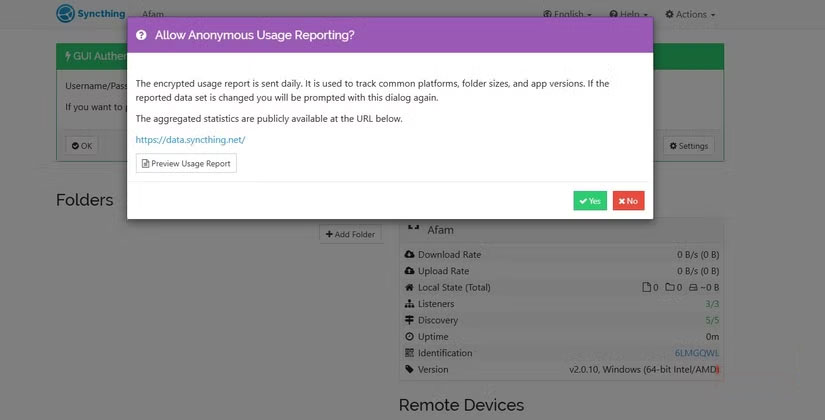
<p style="text-align: justify;">Các lựa chọn đám mây phổ biến rất tiện lợi, và bạn sẽ không nghĩ rằng mình cần những lựa chọn thay thế. Tuy nhiên, bên cạnh sự tiện lợi, có một vài nhược điểm quá nghiêm trọng không thể bỏ qua. Một trong số đó là nguy cơ xảy ra lỗi điểm duy nhất. Một số tùy chọn lưu trữ đám mây chạy trên các trung tâm dữ liệu do doanh nghiệp quản lý. Bạn có thể gặp phải các hạn chế truy cập tạm thời nếu cụm máy chủ ngừng hoạt động, vì nhà cung cấp kiểm soát kiến ​​trúc và có thể hạn chế quyền truy cập cũng như quyết định tốc độ đồng bộ.</p>

<p style="text-align: justify;">Quyền riêng tư là một vấn đề lớn khác. Mặc dù nội dung file của bạn có thể được mã hóa trên máy chủ của nhà cung cấp, nhưng nhà cung cấp vẫn giữ khóa mã hóa và về lý thuyết, có thể truy cập dữ liệu. Ngoài ra, họ còn kiểm tra siêu dữ liệu (dấu thời gian, kích thước file và cấu trúc thư mục) và có thể quét siêu dữ liệu cho mục đích lập chỉ mục, tìm kiếm hoặc phân tích nội dung. Những điều này có lợi ở chỗ chúng cho phép nhà cung cấp thực hiện các thay đổi tính năng để nâng cao dịch vụ. Tuy nhiên, siêu dữ liệu có thể tiết lộ các mẫu, và đây có thể là một sự đánh đổi quá lớn đối với một số người.</p>

<h2 style="text-align: justify;">Syncthing khác biệt so với các dịch vụ lưu trữ đám mây khác</h2>

<h3 style="text-align: justify;">Nó là xương sống của một hệ thống đồng bộ tự host</h3>

<figure>
<div style="text-align: justify;"><img alt="Cho phép truy cập riêng tư và công khai trên Syncthing" data-i="5" data-src="https://st.quantrimang.com/photos/image/2025/10/06/xay-dung-he-thong-dong-bo-rieng-khong-can-google-drive-onedrive-6.jpg" data-was-processed="true" height="464" src="https://st.quantrimang.com/photos/image/2025/10/06/xay-dung-he-thong-dong-bo-rieng-khong-can-google-drive-onedrive-6.jpg" width="825" /></div>

<figcaption>
<div style="text-align: justify;">Cho phép truy cập riêng tư và công khai trên Syncthing</div>
</figcaption>
</figure>

<p style="text-align: justify;">Kiến trúc ngang hàng là điểm khác biệt giữa Syncthing và dịch vụ lưu trữ đám mây. Trong khi lưu trữ đám mây đẩy file lên một máy chủ trung tâm, Syncthing chuyển đổi mọi thiết bị bạn thêm vào thành một nút trong mạng lưới. File của bạn di chuyển trực tiếp giữa các thiết bị và được mã hóa trong quá trình truyền tải để đảm bảo bảo mật, không có máy chủ bên thứ ba nào lưu trữ dữ liệu file thực tế của bạn. Mỗi thiết bị đều có một ID mật mã duy nhất. Điều này đảm bảo rằng chỉ những thiết bị ngang hàng đáng tin cậy mới có thể tham gia mạng.</p>

<p style="text-align: justify;"><strong>Lưu ý</strong>: Syncthing không mã hóa các file đang lưu trữ trên chính những thiết bị. Nếu muốn mã hóa điểm cuối hoàn toàn, bạn cần mã hóa cấp độ ổ đĩa trên các thiết bị của mình.</p>

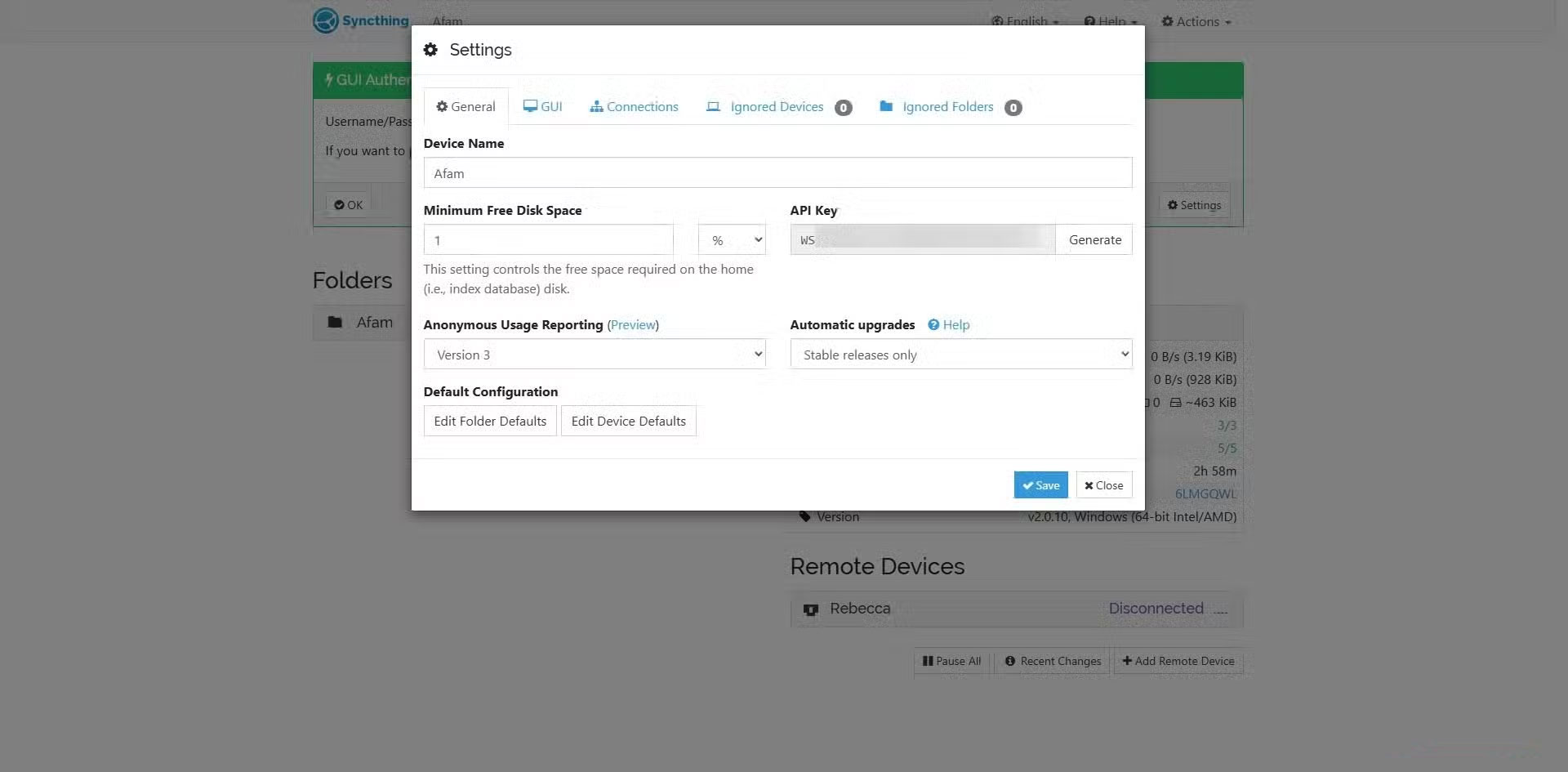
<p style="text-align: justify;">Sau khi thiết lập Syncthing, hãy chạy ứng dụng desktop trên 2 laptop và cài đặt ứng dụng di động trên một điện thoại. Giao diện không có gì nổi bật, nhưng ngay khi thêm thiết bị bằng cách trao đổi ID, bạn có thể đồng bộ gần như ngay lập tức. Thả một file video 1GB vào thư mục dự án của mình và việc đồng bộ sẽ diễn ra gần như ngay lập tức; nhanh hơn nhiều so với khi upload file lên Google Drive qua mạng cục bộ.</p>

<h2 style="text-align: justify;">Thiết lập Syncthing</h2>

<h3 style="text-align: justify;">Quy trình làm việc đa thiết bị liền mạch</h3>

<figure>
<div style="text-align: justify;"><img alt="Quy trình thiết lập Syncthing lần đầu" data-i="6" data-src="https://st.quantrimang.com/photos/image/2025/10/06/xay-dung-he-thong-dong-bo-rieng-khong-can-google-drive-onedrive-7.jpg" data-was-processed="true" height="420" src="https://st.quantrimang.com/photos/image/2025/10/06/xay-dung-he-thong-dong-bo-rieng-khong-can-google-drive-onedrive-7.jpg" width="825" /></div>

<figcaption>
<div style="text-align: justify;">Quy trình thiết lập Syncthing lần đầu</div>
</figcaption>
</figure>

<p style="text-align: justify;">Một trong những lợi thế lớn nhất khi sử dụng Syncthing là nó hoạt động trên nhiều nền tảng: Windows, Linux và thậm chí còn có&nbsp;Syncthing Lite cho Android. Để bắt đầu, đây là những gì cần làm.</p>

<ol>
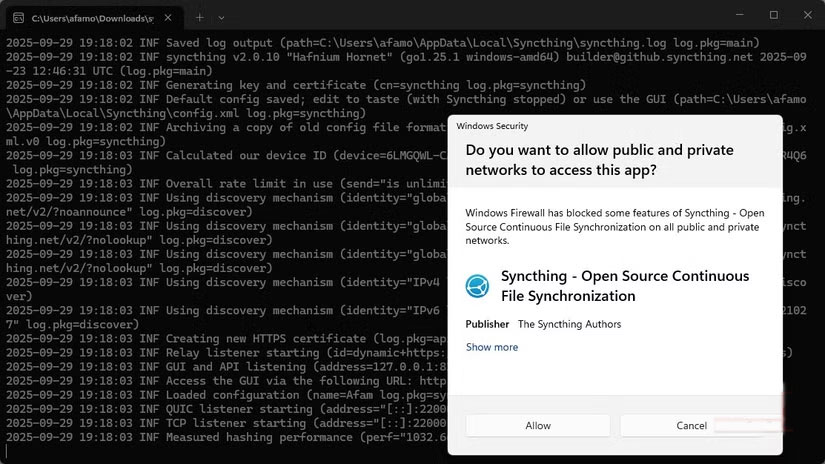
	<li style="text-align: justify;">Tải xuống ứng dụng Syncthing&nbsp;trên tất cả các thiết bị bạn muốn đồng bộ. Giải nén các file và chạy file thực thi. Trong quá trình thiết lập, hãy nhấp vào&nbsp;<strong>Yes</strong>&nbsp;khi được nhắc cho phép truy cập công khai và riêng tư.</li>
</ol>

<div style="text-align: justify;"><span style="color:rgb(192, 57, 43);"><strong>https://syncthing.net/downloads/</strong></span><br />
&nbsp;Ứng dụng rất nhẹ và quá trình cài đặt diễn ra nhanh chóng.</div>

<ol>
	<li style="text-align: justify;">Sau khi cài đặt, Syncthing sẽ khởi chạy máy chủ cục bộ và mở trang quản lý trong trình duyệt của bạn. Bạn cũng có thể truy cập thủ công:&nbsp;<strong>http://127.0.0.1:8384</strong></li>
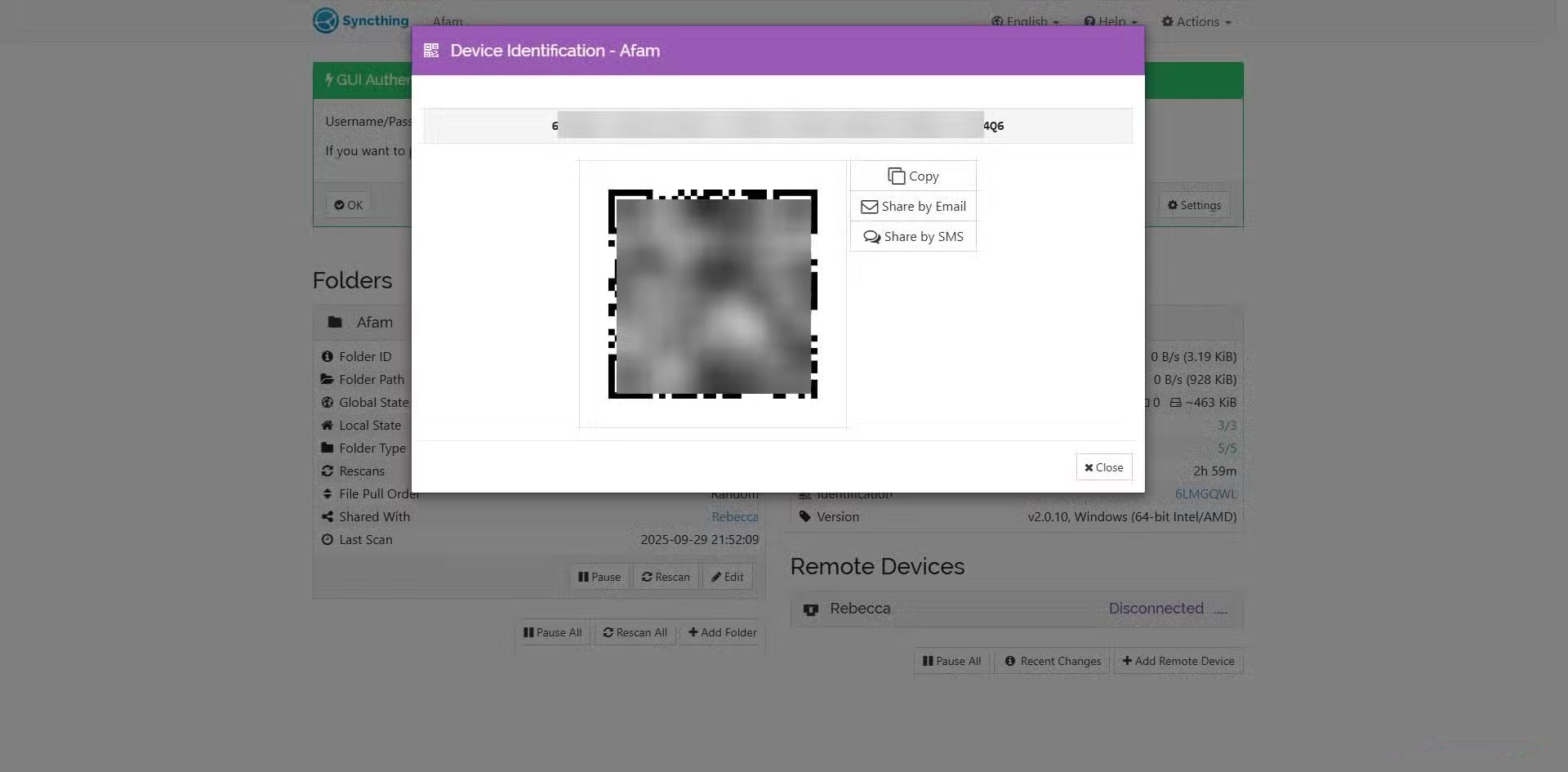
	<li style="text-align: justify;">Trong bảng điều khiển Syncthing, hãy vào mục&nbsp;<strong>Identification</strong>&nbsp;và sao chép&nbsp;<strong>Device ID</strong>. Chia sẻ ID này với thiết bị khác mà bạn muốn kết nối. Trên thiết bị đó, nhấp vào&nbsp;<strong>Add Remote Device</strong>, dán ID và đặt tên cho thiết bị. Thiết bị khác cũng phải chấp thuận yêu cầu kết nối để bắt đầu đồng bộ.</li>
	<li style="text-align: justify;">Trên một thiết bị, nhấp vào&nbsp;<strong>Add Folder</strong>. Nhập&nbsp;<strong>Folder Path</strong>&nbsp;(vị trí của các file bạn muốn đồng bộ) và chia sẻ nó với thiết bị khác. Thiết bị nhận cũng phải phê duyệt thư mục và gán đường dẫn cục bộ của riêng nó. Chỉ khi đó, quá trình đồng bộ mới bắt đầu.</li>
</ol>

<p style="text-align: justify;">Bạn luôn có thể cập nhật những thư mục nào sẽ được đồng bộ và chọn chế độ chỉ đọc hoặc đọc-ghi. Tuy nhiên, điều mọi người thích nhất ở Syncthing là tính năng đồng bộ cục bộ trước. Do đó, bạn có thể đồng bộ các file mà không cần kết nối&nbsp;Internet, miễn là tất cả các thiết bị đều được kết nối với cùng một mạng&nbsp;Wi-Fi.</p>

<p style="text-align: justify;"><strong>Mẹo</strong>: Mục tiêu chính của Syncthing là duy trì tính nhất quán trên nhiều bản sao của một file, thay vì cung cấp dịch vụ sao lưu hoặc lưu trữ đám mây dài hạn. Các nền tảng như Filecoin, Storj hoặc Sia phù hợp hơn cho việc sao lưu đám mây.</p>

<div style="text-align: justify;">&nbsp;</div>
		</div>
				<div id="author">
						<p>
				<strong>Nguồn tin:</strong>
				Quantrimang.com:
			</p>
		</div>
	</div>
	<div id="footer" class="clearfix">
		<div id="url">
			<strong>URL của bản tin này: </strong><a href="https://www.nguoicodonvn2008.info/vi/news/savefile/kien-thuc-may-tinh/cach-xay-dung-he-thong-dong-bo-rieng-ma-khong-can-google-drive-hoac-onedrive-11306.html" title="Cách xây dựng hệ thống đồng bộ riêng mà không cần Google Drive hoặc OneDrive">https://www.nguoicodonvn2008.info/vi/news/savefile/kien-thuc-may-tinh/cach-xay-dung-he-thong-dong-bo-rieng-ma-khong-can-google-drive-hoac-onedrive-11306.html</a>

		</div>
		<div class="clear"></div>
		<div class="copyright">
			&copy; .&#x3A; Nguoicodonvn2008.info - Cõi lòng người cô đơn &#x3A;.
		</div>
		<div id="contact">
			<a href="mailto:admin@nguoicodonvn2008.info">admin@nguoicodonvn2008.info</a>
		</div>
	</div>
</div>
        <div id="timeoutsess" class="chromeframe">
            Bạn đã không sử dụng Site, <a onclick="timeoutsesscancel();" href="https://www.nguoicodonvn2008.info/#">Bấm vào đây để duy trì trạng thái đăng nhập</a>. Thời gian chờ: <span id="secField"> 60 </span> giây
        </div>
        <div id="openidResult" class="nv-alert" style="display:none"></div>
        <div id="openidBt" data-result="" data-redirect=""></div>
		</script>
		<div class="car-top">
  <span><img src="https://www.nguoicodonvn2008.info/themes/default/images/car.png" alt=""></span>
</div>
<script src="https://www.nguoicodonvn2008.info/assets/js/jquery/jquery.min.js"></script>
<script>var nv_base_siteurl="/",nv_lang_data="vi",nv_lang_interface="vi",nv_name_variable="nv",nv_fc_variable="op",nv_lang_variable="language",nv_module_name="news",nv_func_name="savefile",nv_is_user=0, nv_my_ofs=-4,nv_my_abbr="EDT",nv_cookie_prefix="nv4c_e856T",nv_check_pass_mstime=1738000,nv_area_admin=0,nv_safemode=0,theme_responsive=0,nv_recaptcha_ver=2,nv_recaptcha_sitekey="",nv_recaptcha_type="image",XSSsanitize=1;</script>
<script src="https://www.nguoicodonvn2008.info/assets/js/language/vi.js"></script>
<script src="https://www.nguoicodonvn2008.info/assets/js/DOMPurify/purify3.js"></script>
<script src="https://www.nguoicodonvn2008.info/assets/js/global.js"></script>
<script src="https://www.nguoicodonvn2008.info/assets/js/site.js"></script>
<script src="https://www.nguoicodonvn2008.info/themes/default/js/news.js"></script>
<script src="https://www.nguoicodonvn2008.info/themes/default/js/main.js"></script>
<script src="https://www.nguoicodonvn2008.info/themes/default/js/custom.js"></script>
<script type="application/ld+json">
        {
            "@context": "https://schema.org",
            "@type": "Organization",
            "url": "https://www.nguoicodonvn2008.info",
            "logo": "https://www.nguoicodonvn2008.info/uploads/angel.gif"
        }
        </script>
<script src="https://www.nguoicodonvn2008.info/themes/default/js/bootstrap.min.js"></script>
<script type="text/javascript">
var $scrolltop = $('.car-top');
$scrolltop.on('click', function () {
    $('html,body').animate({
        scrollTop: 0
    }, 800);
    $(this).addClass("car-run");
    setTimeout(function(){ $scrolltop.removeClass('car-run');}, 1000);
    return false;
});
$(window).on('scroll', function ()
{ 
    if($(window).scrollTop() >= 200)
    {
        $scrolltop.addClass("show");
        $scrolltop.addClass("car-down");
    }
    else
    {
       $scrolltop.removeClass("show");
       setTimeout(function(){ $scrolltop.removeClass('car-down');}, 300);
    }
});
</script>
</body>
</html>