<!DOCTYPE html>
    <html lang="vi" xmlns="http://www.w3.org/1999/xhtml" prefix="og: http://ogp.me/ns#">
    <head>
<title>Cách xác định PC Dell, Lenovo có tương thích với Windows 10 May 2020 Update không</title>
<meta name="description" content="Cách xác định PC Dell, Lenovo có tương thích với Windows 10 May 2020 Update không - Savefile - Tin Tức -...">
<meta name="author" content=".: Nguoicodonvn2008.info - Cõi lòng người cô đơn :.">
<meta name="copyright" content=".: Nguoicodonvn2008.info - Cõi lòng người cô đơn :. [admin@nguoicodonvn2008.info]">
<meta name="robots" content="index, archive, follow, noodp">
<meta name="googlebot" content="index,archive,follow,noodp">
<meta name="msnbot" content="all,index,follow">
<meta name="generator" content="NukeViet v4.5">
<meta http-equiv="Content-Type" content="text/html; charset=utf-8">
<meta property="og:title" content="Cách xác định PC Dell, Lenovo có tương thích với Windows 10 May 2020 Update không">
<meta property="og:type" content="website">
<meta property="og:description" content="Savefile - Tin Tức -...">
<meta property="og:site_name" content=".&#x3A; Nguoicodonvn2008.info - Cõi lòng người cô đơn &#x3A;.">
<meta property="og:url" content="https://www.nguoicodonvn2008.info/vi/news/savefile/kien-thuc-may-tinh/cach-xac-dinh-pc-dell-lenovo-co-tuong-thich-voi-windows-10-may-2020-update-khong-2216.html">
<link rel="shortcut icon" href="https://www.nguoicodonvn2008.info/favicon.ico">
<link rel="canonical" href="https://www.nguoicodonvn2008.info/vi/news/savefile/kien-thuc-may-tinh/cach-xac-dinh-pc-dell-lenovo-co-tuong-thich-voi-windows-10-may-2020-update-khong-2216.html">
<link rel="alternate" href="https://www.nguoicodonvn2008.info/vi/news/rss/" title="Tin Tức" type="application/rss+xml">
<link rel="alternate" href="https://www.nguoicodonvn2008.info/vi/news/rss/karaoke-dual/" title="Tin Tức - Karaoke Dual" type="application/rss+xml">
<link rel="alternate" href="https://www.nguoicodonvn2008.info/vi/news/rss/nhac-tre/" title="Tin Tức - Nhạc trẻ" type="application/rss+xml">
<link rel="alternate" href="https://www.nguoicodonvn2008.info/vi/news/rss/tru-tinh/" title="Tin Tức - Trữ tình" type="application/rss+xml">
<link rel="alternate" href="https://www.nguoicodonvn2008.info/vi/news/rss/nuoc-ngoai/" title="Tin Tức - Nước ngoài" type="application/rss+xml">
<link rel="alternate" href="https://www.nguoicodonvn2008.info/vi/news/rss/remix/" title="Tin Tức - Remix" type="application/rss+xml">
<link rel="alternate" href="https://www.nguoicodonvn2008.info/vi/news/rss/tam-su-tinh-yeu/" title="Tin Tức - Tâm sự tình yêu" type="application/rss+xml">
<link rel="alternate" href="https://www.nguoicodonvn2008.info/vi/news/rss/tho-suu-tam/" title="Tin Tức - Thơ sưu tầm" type="application/rss+xml">
<link rel="alternate" href="https://www.nguoicodonvn2008.info/vi/news/rss/cuoc-song/" title="Tin Tức - Cuộc sống" type="application/rss+xml">
<link rel="alternate" href="https://www.nguoicodonvn2008.info/vi/news/rss/phan-mem/" title="Tin Tức - Phần mềm" type="application/rss+xml">
<link rel="alternate" href="https://www.nguoicodonvn2008.info/vi/news/rss/kien-thuc-may-tinh/" title="Tin Tức - Kiến thức máy tính" type="application/rss+xml">
<link rel="alternate" href="https://www.nguoicodonvn2008.info/vi/news/rss/hoc-tap/" title="Tin Tức - Học tập" type="application/rss+xml">
<link rel="alternate" href="https://www.nguoicodonvn2008.info/vi/news/rss/tai-lieu/" title="Tin Tức - Tài liệu" type="application/rss+xml">
<link rel="alternate" href="https://www.nguoicodonvn2008.info/vi/news/rss/de-thi/" title="Tin Tức - Đề thi" type="application/rss+xml">
<link rel="preload" as="style" href="https://www.nguoicodonvn2008.info/assets/css/font-awesome.min.css" type="text/css">
<link rel="preload" as="style" href="https://www.nguoicodonvn2008.info/themes/default/css/bootstrap.non-responsive.css" type="text/css">
<link rel="preload" as="style" href="https://www.nguoicodonvn2008.info/themes/default/css/style.css" type="text/css">
<link rel="preload" as="style" href="https://www.nguoicodonvn2008.info/themes/default/css/style.non-responsive.css" type="text/css">
<link rel="preload" as="style" href="https://www.nguoicodonvn2008.info/themes/default/css/news.css" type="text/css">
<link rel="preload" as="style" href="https://www.nguoicodonvn2008.info/themes/default/css/custom.css" type="text/css">
<link rel="preload" as="script" href="https://www.nguoicodonvn2008.info/assets/js/jquery/jquery.min.js" type="text/javascript">
<link rel="preload" as="script" href="https://www.nguoicodonvn2008.info/assets/js/language/vi.js" type="text/javascript">
<link rel="preload" as="script" href="https://www.nguoicodonvn2008.info/assets/js/DOMPurify/purify3.js" type="text/javascript">
<link rel="preload" as="script" href="https://www.nguoicodonvn2008.info/assets/js/global.js" type="text/javascript">
<link rel="preload" as="script" href="https://www.nguoicodonvn2008.info/assets/js/site.js" type="text/javascript">
<link rel="preload" as="script" href="https://www.nguoicodonvn2008.info/themes/default/js/news.js" type="text/javascript">
<link rel="preload" as="script" href="https://www.nguoicodonvn2008.info/themes/default/js/main.js" type="text/javascript">
<link rel="preload" as="script" href="https://www.nguoicodonvn2008.info/themes/default/js/custom.js" type="text/javascript">
<link rel="preload" as="script" href="https://www.nguoicodonvn2008.info/themes/default/js/bootstrap.min.js" type="text/javascript">
<link rel="stylesheet" href="https://www.nguoicodonvn2008.info/assets/css/font-awesome.min.css">
<link rel="stylesheet" href="https://www.nguoicodonvn2008.info/themes/default/css/bootstrap.non-responsive.css">
<link rel="stylesheet" href="https://www.nguoicodonvn2008.info/themes/default/css/style.css">
<link rel="stylesheet" href="https://www.nguoicodonvn2008.info/themes/default/css/style.non-responsive.css">
<link rel="StyleSheet" href="https://www.nguoicodonvn2008.info/themes/default/css/news.css">
<link rel="stylesheet" href="https://www.nguoicodonvn2008.info/themes/default/css/custom.css">
<style type="text/css">
	body{background: #fff;}
</style>
    </head>
    <body>
<div id="print">
	<div id="hd_print">
		<h2 class="pull-left">.&#x3A; Nguoicodonvn2008.info - Cõi lòng người cô đơn &#x3A;.</h2>
		<p class="pull-right"><a title=".&#x3A; Nguoicodonvn2008.info - Cõi lòng người cô đơn &#x3A;." href="https://www.nguoicodonvn2008.info/">https://www.nguoicodonvn2008.info</a></p>
	</div>
	<div class="clear"></div>
	<hr />
	<div id="content">
		<h1>Cách xác định PC Dell, Lenovo có tương thích với Windows 10 May 2020 Update không</h1>
		<ul class="list-inline">
			<li>Thứ hai - 15/06/2020 00:58</li>
			<li class="hidden-print txtrequired"><em class="fa fa-print">&nbsp;</em><a title="In ra" href="javascript:;" onclick="window.print()">In ra</a></li>
			<li class="hidden-print txtrequired"><em class="fa fa-power-off">&nbsp;</em><a title="Đóng cửa sổ này" href="javascript:;" onclick="window.close()">Đóng cửa sổ này</a></li>
		</ul>
		<div class="clear"></div>
		<div id="hometext">
		</div>
				<div class="imghome">
			<img alt="Cách xác định PC Dell, Lenovo có tương thích với Windows 10 May 2020 Update không" src="https://st.quantrimang.com/photos/image/2020/06/11/xac-dinh-pc-dell-lenovo-tuong-thich-windows-10-may-2020-update1.jpg" width="460" class="img-thumbnail" />
		</div>
		<div class="clear"></div>
		<div id="bodytext" class="clearfix">
			<p style="text-align: justify;">Bạn đang cố gắng để có được bản&nbsp;cập nhật Windows 10 May 2020 update&nbsp;(Windows 10 2004, 20H1) mới nhất? Bạn muốn biết liệu PC của mình có tướng thích với bản cập nhật mới hay không? Đừng quá lo lắng nếu bạn đang sử dụng PC đến từ các thương hiệu Dell và Lenovo. 2 nhà sản xuất PC này là một trong số ít các OEM đầu tiên trên thế giới đưa ra danh sách các thiết bị được xác nhận hỗ trợ Windows 10 2004 mới nhất để người dùng tiện tham khảo và đưa ra quyết định cập nhật hệ thống khi cần thiết.</p>

<h2 style="text-align: justify;">Thiết bị của bạn có tương thích với Windows 10 2004 không?</h2>

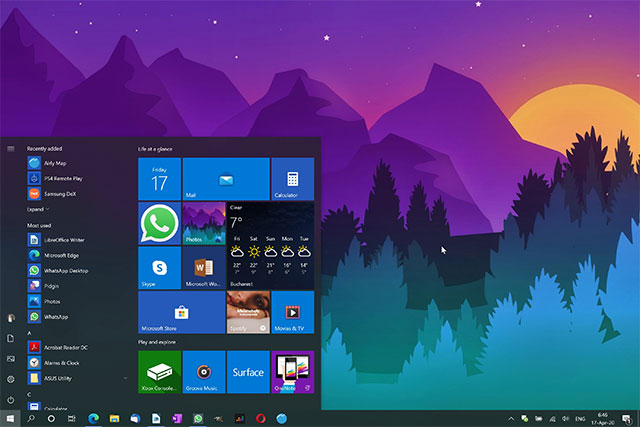
<p style="text-align: justify;">Tháng trước, Microsoft đã chính thức phát hành&nbsp;Windows 10 2004, bản cập nhật tính năng lớn trong năm 2020 vốn đã được mong chờ từ lâu. Tuy nhiên đúng như “truyền thống” của Windows, bản cập nhật này không tương thích tốt với tất cả các thiết bị Windows 10, ít nhất là ở thời điểm hiện tại, bởi một vài sự cố phát sinh về mặt nền tảng. Do đó đứng từ góc độ người dùng, tâm lý “mông lung” trước khi quyết định có nên nâng cấp luôn PC của mình lên phiên bản mới hoặc tiếp tục chờ đợi cho tới khi Microsoft khắc phục ổn thỏa mọi vấn đề là không thể tránh khỏi.</p>

<figure>
<div style="text-align: justify;"><img alt="Windows 10 2004" data-i="0" data-src="https://st.quantrimang.com/photos/image/2020/06/11/xac-dinh-pc-dell-lenovo-tuong-thich-windows-10-may-2020-update1.jpg" data-was-processed="true" height="427" src="https://st.quantrimang.com/photos/image/2020/06/11/xac-dinh-pc-dell-lenovo-tuong-thich-windows-10-may-2020-update1.jpg" width="640" /></div>

<figcaption>
<div style="text-align: justify;">Windows 10 2004</div>
</figcaption>
</figure>

<p style="text-align: justify;">Thay vì ngồi phỏng đoán, tốt hơn hết là bạn nên tự tìm hiểu xem biết thiết bị của mình có tương thích hay không trước khi quyết định cài đặt bản cập nhật. Nhiều người đã phàn nàn rằng các thiết bị Windows 10 của họ không thể chạy bản cập nhật mới, có thể do một số vấn đề nhất định về tương thích liên quan đến driver hoặc một vài nguyên nhân khác.</p>

<p style="text-align: justify;">Đối với chủ sở hữu PC Lenovo, hãy thử truy cập&nbsp;trang hỗ trợ của nhà sản xuất, bạn sẽ bắt gặp một công cụ tiện lợi cho phép người dùng nhập số sê-ri sản phẩm và truy xuất thông tin để xem liệu thiết bị có tương thích tốt với Windows 10 2004 hay không. Ngoài ra, người dùng cũng có thể tra cứu bằng thông tin đăng nhập tài khoản Lenovo của mình.</p>

<p style="text-align: justify;">Dưới đây là danh sách các dòng PC Lenovo đã được thử nghiệm tương thích tốt với Windows 10 2004:</p>

<ul>
	<li style="text-align: justify;">Máy tính xách tay ThinkPad</li>
	<li style="text-align: justify;">Máy tính xách tay Lenovo/Ideapad</li>
	<li style="text-align: justify;">ThinkCentre&amp;AIO</li>
	<li style="text-align: justify;">IdeaCentre&amp;AIO</li>
	<li style="text-align: justify;">ThinkStation</li>
</ul>

<p style="text-align: justify;">Ngoài ra, Lenovo cũng đã rất cẩn thận khi hiển thị cả ghi chú cụ thể cho từng danh mục sản phẩm, nêu bật các vấn đề đã ghi nhận đối với một số thiết bị nhất định.</p>

<p style="text-align: justify;">Dell cũng đưa ra hỗ trợ tương tự để giúp người dùng nắm được thông tin về các thiết bị tương thích với bản cập nhật Windows 10 2004. Về danh sách các dòng PC Dell đã được thử nghiệm tương thích tốt với bản cập nhật Windows mới bạn có thể tham khảo chi tiết tại trang hỗ trợ của hãng tại&nbsp;địa chỉ này.</p>
		</div>
				<div id="author">
						<p>
				<strong>Nguồn tin:</strong>
				Quantrimang.com
			</p>
		</div>
	</div>
	<div id="footer" class="clearfix">
		<div id="url">
			<strong>URL của bản tin này: </strong><a href="https://www.nguoicodonvn2008.info/vi/news/savefile/kien-thuc-may-tinh/cach-xac-dinh-pc-dell-lenovo-co-tuong-thich-voi-windows-10-may-2020-update-khong-2216.html" title="Cách xác định PC Dell, Lenovo có tương thích với Windows 10 May 2020 Update không">https://www.nguoicodonvn2008.info/vi/news/savefile/kien-thuc-may-tinh/cach-xac-dinh-pc-dell-lenovo-co-tuong-thich-voi-windows-10-may-2020-update-khong-2216.html</a>

		</div>
		<div class="clear"></div>
		<div class="copyright">
			&copy; .&#x3A; Nguoicodonvn2008.info - Cõi lòng người cô đơn &#x3A;.
		</div>
		<div id="contact">
			<a href="mailto:admin@nguoicodonvn2008.info">admin@nguoicodonvn2008.info</a>
		</div>
	</div>
</div>
        <div id="timeoutsess" class="chromeframe">
            Bạn đã không sử dụng Site, <a onclick="timeoutsesscancel();" href="https://www.nguoicodonvn2008.info/#">Bấm vào đây để duy trì trạng thái đăng nhập</a>. Thời gian chờ: <span id="secField"> 60 </span> giây
        </div>
        <div id="openidResult" class="nv-alert" style="display:none"></div>
        <div id="openidBt" data-result="" data-redirect=""></div>
		</script>
		<div class="car-top">
  <span><img src="https://www.nguoicodonvn2008.info/themes/default/images/car.png" alt=""></span>
</div>
<script src="https://www.nguoicodonvn2008.info/assets/js/jquery/jquery.min.js"></script>
<script>var nv_base_siteurl="/",nv_lang_data="vi",nv_lang_interface="vi",nv_name_variable="nv",nv_fc_variable="op",nv_lang_variable="language",nv_module_name="news",nv_func_name="savefile",nv_is_user=0, nv_my_ofs=-4,nv_my_abbr="EDT",nv_cookie_prefix="nv4c_e856T",nv_check_pass_mstime=1738000,nv_area_admin=0,nv_safemode=0,theme_responsive=0,nv_recaptcha_ver=2,nv_recaptcha_sitekey="",nv_recaptcha_type="image",XSSsanitize=1;</script>
<script src="https://www.nguoicodonvn2008.info/assets/js/language/vi.js"></script>
<script src="https://www.nguoicodonvn2008.info/assets/js/DOMPurify/purify3.js"></script>
<script src="https://www.nguoicodonvn2008.info/assets/js/global.js"></script>
<script src="https://www.nguoicodonvn2008.info/assets/js/site.js"></script>
<script src="https://www.nguoicodonvn2008.info/themes/default/js/news.js"></script>
<script src="https://www.nguoicodonvn2008.info/themes/default/js/main.js"></script>
<script src="https://www.nguoicodonvn2008.info/themes/default/js/custom.js"></script>
<script type="application/ld+json">
        {
            "@context": "https://schema.org",
            "@type": "Organization",
            "url": "https://www.nguoicodonvn2008.info",
            "logo": "https://www.nguoicodonvn2008.info/uploads/angel.gif"
        }
        </script>
<script src="https://www.nguoicodonvn2008.info/themes/default/js/bootstrap.min.js"></script>
<script type="text/javascript">
var $scrolltop = $('.car-top');
$scrolltop.on('click', function () {
    $('html,body').animate({
        scrollTop: 0
    }, 800);
    $(this).addClass("car-run");
    setTimeout(function(){ $scrolltop.removeClass('car-run');}, 1000);
    return false;
});
$(window).on('scroll', function ()
{ 
    if($(window).scrollTop() >= 200)
    {
        $scrolltop.addClass("show");
        $scrolltop.addClass("car-down");
    }
    else
    {
       $scrolltop.removeClass("show");
       setTimeout(function(){ $scrolltop.removeClass('car-down');}, 300);
    }
});
</script>
</body>
</html>